
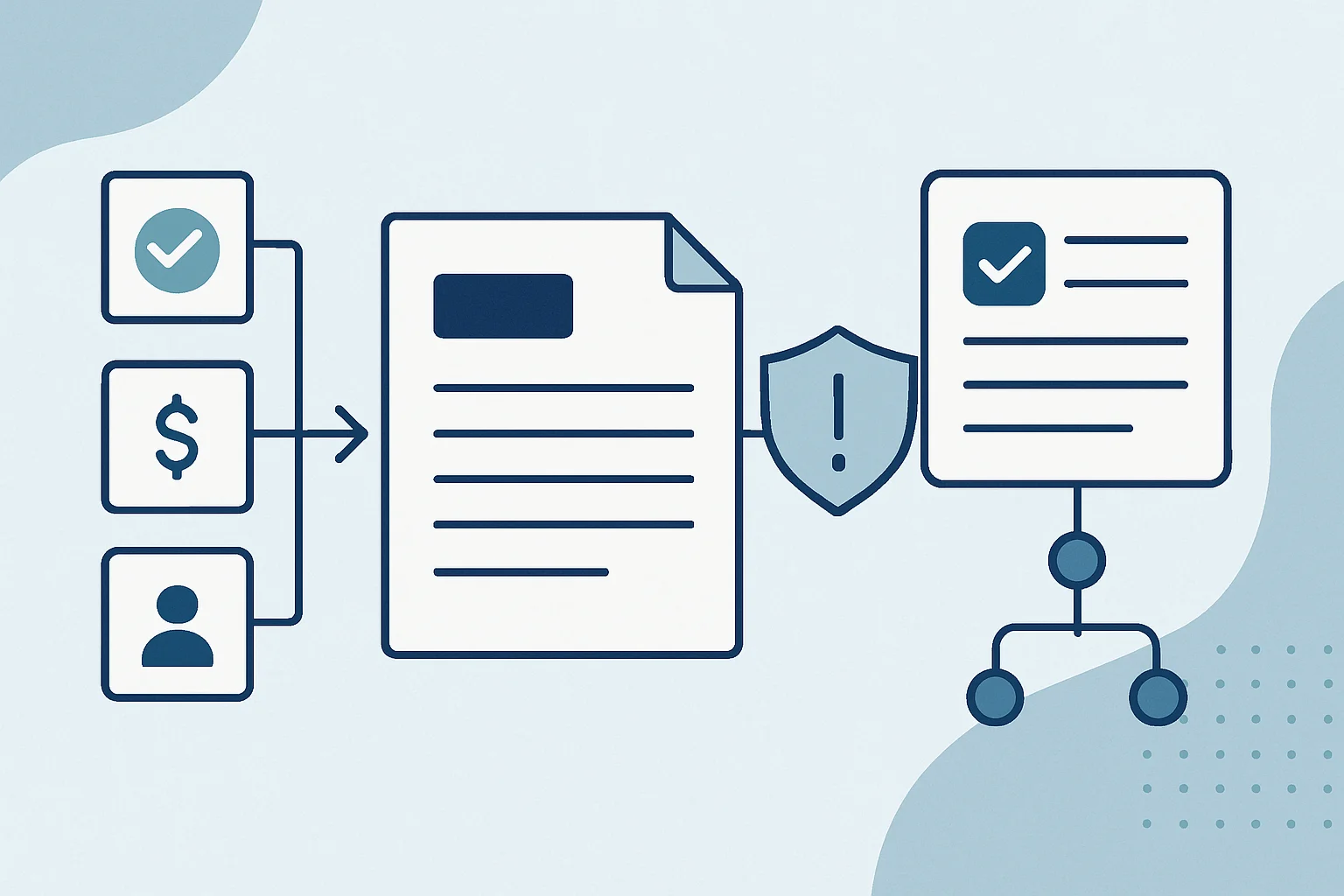
A delayed or inconsistent quote can create more than a sales inconvenience; moreover, it can introduce pricing risk, confuse customers, and leave teams unsure which version is current. Therefore, a well-designed quote automation workflow creates standardized documents from approved customer, product, pricing, and commercial data while reserving unusual decisions for the right reviewer.
The goal is not to remove judgement from commercial work. Instead, a quote automation workflow makes routine quotes faster and more consistent, then makes exceptions visible and traceable. Businesses planning this capability can also benefit from opportunity management automation and the controls described in contract document generation automation.
Key Takeaways
- Use governed source data
A quote should draw commercial values from approved systems and controlled reference data rather than editable templates or copied emails.
- Treat exceptions deliberately
Discount, margin, contractual, credit, and data-quality exceptions need clear routing rules instead of informal follow-up.
- Track a lifecycle, not a file
Useful status tracking records who owns the next action, which version is active, and whether the customer has accepted or declined.
- Keep approvals human
Automation can prepare evidence and route work; however, accountable people should retain judgement for commercial and risk-sensitive decisions.
Commercial Controls for Reliable Quotes
A quote is both a customer document and a commercial record that requires dependable data, ownership, and history.
A quote is not simply a document generated at the end of a sales conversation. It represents a proposed commercial commitment: what will be supplied, at what price, under which terms, for which customer, and for how long. Therefore, the process needs more than a document template. It needs controlled inputs, defined decision points, and a reliable record of what was sent.
A practical quote automation workflow connects the systems where approved information already lives. Depending on the business, those sources may include a CRM, ERP, product catalogue, pricing register, inventory system, contract repository, customer master, or a governed spreadsheet. The workflow then validates required fields, applies permitted rules, produces the correct document version, and records the next action. In turn, the business can identify the source and owner of important commercial values. It should also make the rule applied at each checkpoint understandable to users, reviewers, and auditors rather than leaving critical decisions embedded in private spreadsheets or email threads.
Routine and Exception Paths in Quote Generation Automation
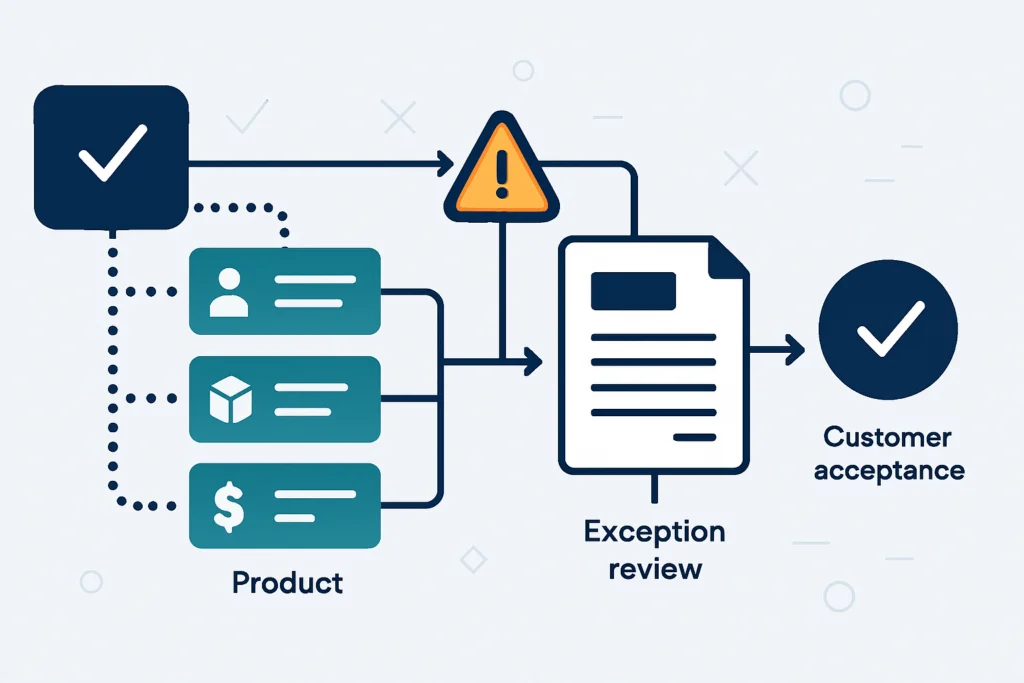
Routine quotes are suitable for automation when they use approved products, current pricing, standard payment terms, and known customer details. By contrast, a non-standard discount, a custom scope, an expired price list, an unusual tax treatment, or an unapproved clause should interrupt automatic issue. The system can still assemble the quote and its supporting evidence; however, it should route the decision to a named reviewer before the customer receives it.
Where Quote Processes Commonly Fail
Recurring manual workarounds usually point to missing data governance, unclear accountability, or disconnected systems.
Copied Pricing Values
Sales teams may copy prices, discounts, and product details from old quotes, emails, or local files. Consequently, it becomes difficult to confirm whether commercial data is current.
Retrieve approved price and product data from a governed source, validate effective dates, and populate protected document fields.
- Reduces reliance on outdated templates
- Supports consistent product descriptions
- Makes data origin easier to trace
Invisible Discount Decisions
A discount may be agreed through messages or verbal conversations without a recorded approval path. As a result, finance and sales operations may be unable to verify why it was offered.
Compare the requested discount with configured thresholds and create an approval task with quote context when review is needed.
- Clarifies decision ownership
- Preserves approval evidence
- Avoids informal escalation chains
Unclear Customer Response
Issued quotes can sit in inboxes or shared folders with no agreed follow-up owner, expiry action, or trustworthy view of the latest customer response.
Update quote status from tracked events, reminders, CRM activity, acceptance forms, or signed-document events while retaining the active version.
- Makes follow-up ownership visible
- Supports expiry management
- Improves pipeline reporting context
Build a Quote Automation Workflow Around Decisions
The strongest design starts with commercial rules and accountable handoffs, then selects technology that can support them.
Capture the Quote Request for Automated Quote Management
Create the quote from a CRM opportunity, a sales intake form, an account portal, or another approved request point. Then capture the customer, items, quantities, contact, currency, expected close date, and request owner once.
A uniquely identified quote request linked to the originating sales record.Resolve Data for Quote Generation Automation
Retrieve customer details, product data, price lists, taxes, standard terms, and template settings from defined authoritative sources. Where sources disagree, apply an explicit precedence rule rather than allowing silent overwrites.
A structured quote data set with source references and validation results.Validate Conditions in the Quote Approval Workflow
Check required fields, item eligibility, pricing effective dates, customer status, currency, quote validity, and rule-based thresholds. In addition, validation should produce understandable messages that help the requester correct a problem.
A pass, correction-required, or review-required decision.Route Exceptions in an Automated Quote Workflow
Send only the relevant exception details to the accountable approver. For example, finance may review credit terms while a sales leader reviews a discount and legal reviews non-standard clauses.
A time-stamped approval task with decision context and escalation rules.Generate and Issue the Quote
Once required approvals are complete, merge approved data into a controlled template, apply a quote number and version, save the final document in the approved repository, and send it through the chosen customer channel.
An issued, versioned quote linked to its commercial record.Quote Status Tracking: Monitor Response and Close
Record customer acceptance, rejection, expiry, revision requests, or withdrawal. Consequently, the workflow can update the CRM, notify the right owner, prevent work from continuing against obsolete versions, and retain an audit trail.
A final status, response evidence, and downstream handoff where applicable.
Routine requests can move forward quickly, while exceptions receive the review depth their commercial risk requires.
- Quote request Sales submits a request with customer, products, quantities, and commercial context.
- Approved data check The workflow confirms mandatory data and, where available, retrieves governed values.
- Rules evaluation Pricing, terms, validity, and customer conditions are checked before issue.
- Standard path Compliant requests proceed to controlled document generation.
- Exception path In contrast, non-standard requests are assigned to the required reviewer.
- Issue and response The final version is issued, followed up, and ultimately closed by outcome.
Quote Approval Workflow Rules for Automatic Handling or Review
Define review conditions in business language before translating them into workflow rules or software configuration.
Requested price matches the active approved price list
- Possible workflow response
- Generate the quote after standard field validation
- Accountable owner
- Sales owner
Discount exceeds the permitted level for the requester
- Possible workflow response
- Hold issue and route the quote with margin and context for approval
- Accountable owner
- Sales manager or commercial approver
Customer requests non-standard payment, liability, or contract terms
- Possible workflow response
- Create a targeted review task and prevent automatic customer issue
- Accountable owner
- Finance, legal, or authorized commercial owner
Product, customer, tax, or pricing data is incomplete or conflicting
- Possible workflow response
- Return the request for correction or route it to the data owner
- Accountable owner
- Sales operations or master-data owner
Approved Data for Quote Generation Automation
A quote automation workflow is dependable only when the underlying data, calculations, and template components have clear ownership.
Define Authoritative Sources
Document where each quote field comes from and which system wins when values conflict. For example, a CRM may own the sales contact and opportunity context, while an ERP or pricing service owns product codes, tax treatment, and approved prices.
- Assign an owner to each source domain
- Record data freshness expectations
- Avoid manual duplicate entry where possible
Protect Quote Document Structure
Treat quote templates as governed commercial assets rather than personal files. Lock controlled clauses, calculations, headers, and terms where appropriate. Meanwhile, allow sales users to provide permitted narrative detail without changing approved commercial content.
- Version templates and clauses
- Separate editable from controlled fields
- Retain the issued document version
Exceptions in an Automated Quote Workflow Are a Control
A well-designed process distinguishes between data correction, policy exception, and genuinely complex commercial judgement.
It is tempting to measure automation quality by the number of requests that progress without people. However, a quote automation workflow should not automatically issue a document simply because it can. Consequently, the right objective is to automate repeatable preparation and routing while making sensitive decisions easier to review with complete context.
Design Useful Exception Information
An approval task should tell the reviewer what changed, why it matters, what the normal rule would have been, and what decision is needed. Specifically, it should present the evidence needed for a timely decision. For example, a discount review may include the approved list price, requested price, discount percentage, product margin where appropriate, customer history reference, quote expiry, and requester’s rationale. This is more useful than an email that says only “please approve.”.
Protect Access, Evidence, and Version History
Access should follow roles, especially when quotes contain customer contacts, pricing, margins, financial terms, or confidential scope details. Additionally, preserve who created, edited, approved, issued, accepted, declined, or superseded each version. Sensitive decisions may require stronger controls such as separation of duties, restricted approver groups, retention policies, or integration with an identity platform. Legal, financial, privacy, and high-risk contractual exceptions should therefore remain subject to appropriate human review.
Examples of Practical Automated Quote Management
In practice, a quote automation workflow can adapt the same lifecycle to different commercial models without assuming one platform or approval policy fits every organization.
Standard Product Quote
For example, a distributor may receive frequent requests for catalogued products and need current product and price information.
Then, the workflow can retrieve approved catalogue and customer data, apply standard rules, generate the quote, and link the issued version to the opportunity.
This approach can support faster preparation while helping sales operations identify incomplete or outdated data.
Discount Request Review
A growing sales team may have delegated pricing authority, while larger discounts and special payment requests need oversight.
Consequently, configured thresholds can identify an exception, assemble quote context, assign the right approver, and update the request when a decision is made.
The business can therefore retain a clearer record of commercial decisions without making every standard quote wait for review.
Custom Service Proposal
A professional services team may combine standard rates with project-specific scope, milestones, assumptions, and negotiated terms.
Meanwhile, the workflow can collect structured scope data, select approved sections, flag custom clauses, coordinate specialist review, and create a controlled proposal version.
As a result, this can improve revision visibility and help prevent an unapproved clause or outdated assumption from reaching the customer.
Launch Checklist for Controlled Quote Operations
Confirm the process design before configuring integrations, templates, rules, notifications, or reporting.
- Map the Current Lifecycle
First, document request sources, handoffs, approvals, rework loops, issue channels, and final outcomes.
- Define Source Ownership
Similarly, identify the authoritative system and accountable owner for customer, product, price, tax, and terms data.
- Classify Quote Types
In particular, separate standard, configurable, custom, renewal, and high-risk quotes where their rules differ.
- Write Approval Rules
Then state thresholds, exception conditions, approvers, delegations, escalation timing, and rejection paths in business language.
- Govern Templates
Meanwhile, version templates, define protected sections, and identify which fields users may edit.
- Design Status Ownership
Additionally, give every status a clear definition, next action, owner, and exit condition.
- Plan Integrations Carefully
Before configuration, confirm authentication, data mappings, error handling, retry behavior, and ownership for each connected system.
- Test Exception Scenarios
Specifically, test incomplete data, invalid prices, duplicate requests, rejection, escalation, revisions, expiry, and acceptance.
- Define Operational Reporting
Finally, choose reports that help teams manage workload, approvals, aging quotes, expiry, and data-quality issues.
Create Quotes That Are Fast, Controlled and Traceable
The best outcome is a dependable commercial process, not merely a faster way to produce a PDF.
A mature quote automation workflow gives sales teams a practical route to create routine quotes from approved data while keeping high-value or non-standard decisions visible to the people accountable for them. It also gives finance, legal, sales operations, and leadership a clearer view of what has been proposed, approved, issued, revised, accepted, or allowed to expire.
Start by clarifying the commercial policy and data ownership behind the document. Then design statuses, review paths, version control, and integrations around the actual decisions your teams make. As a result, automation can support consistent quote delivery without weakening the judgement and governance that commercial commitments require.
Conclusion
A reliable quote automation workflow solution begins with a clear process boundary, accountable owners and visible exception handling.
Test it with realistic data, document support responsibilities and review operating evidence after launch before expanding the design.
Frequently Asked Questions About Quote Automation
Answers to practical questions businesses ask when assessing automated quote generation and approval control.
A quote automation workflow is a controlled process that collects quote request data, retrieves approved commercial information, validates rules, routes exceptions for review, generates a standardized document, and tracks its status through a customer outcome. It can connect systems such as a CRM, ERP, document repository, pricing service, and approval tool.
Businesses commonly govern customer details, product codes, descriptions, unit prices, discount rules, taxes, currencies, payment terms, quote validity periods, standard clauses, and branding. The precise data model depends on the commercial model; however, each important field should have a clear source and owner.
Not necessarily, and it should not attempt to do so when commercial judgement is required. Standard quotes that meet approved rules may proceed automatically. However, unusual discounts, custom contract terms, credit conditions, unusual tax treatment, high-risk customers, or non-standard scope should be routed to the appropriate reviewer.
Acceptance should be linked to the exact quote version issued to the customer. Depending on the process, evidence may come from an e-signature platform, customer portal event, signed purchase order, acceptance form, confirmed email handled under policy, or a documented sales confirmation. The resulting status should then update the relevant sales and operational records.
No. Microsoft Power Automate can be a suitable option in some Microsoft 365, Dynamics 365, SharePoint, or Dataverse environments. However, the appropriate approach depends on integration complexity, pricing logic, data security, transaction volume, support model, budget, and existing systems. Other options can include API-based automation, custom applications, cloud workflow services, or specialized quoting platforms.
Ready to Improve Your Quote Process?
Turn repetitive quote preparation into a controlled process with clear exception handling and status visibility.
JiyanaTech can assess your current quote workflow process and design a maintainable automation solution around your systems, controls, integrations, security and support needs.
Discuss This Workflow