
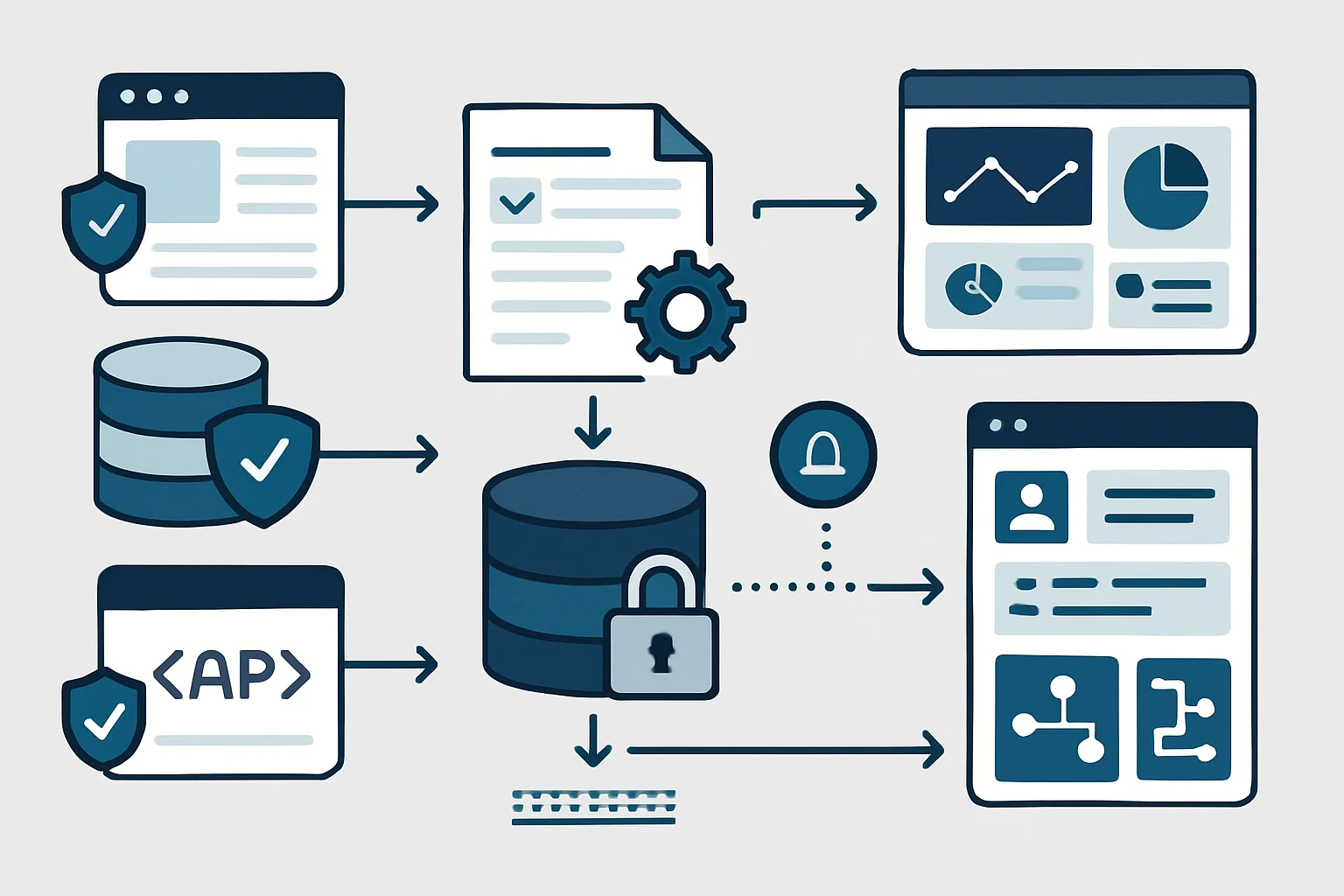
Web data collection automation services help teams turn repeatedly checked online information into a controlled data flow rather than a recurring manual task. Procurement teams may need current supplier availability, research teams may track approved industry sources, and ecommerce teams may compare authorised catalogue information. However, useful automation involves more than copying page content: it needs approved sources, dependable collection methods, clear data definitions, and an accountable response when something changes.
In practice, a well-designed web data collection automation services programme connects collection activity to broader API integration automation services and reporting workflows. For collection methods, permissions, and safeguards related specifically to extraction, see JiyanaTech’s guide to responsible web scraping and data collection automation. This article instead concentrates on the wider operational process that makes collected information usable.
Key Takeaways
- Start with approved sources
First, define which websites, portals, exports, APIs, and forms may be collected before choosing a technical method.
- Choose the least fragile method
An API or approved export is usually easier to maintain than browser automation when it provides the required information.
- Treat data quality as part of collection
In addition, normalise units, labels, dates, currencies, identifiers, and duplicates before data reaches business users or systems.
- Plan for change and exceptions
Website changes, missing fields, authentication problems, and unusual values therefore need alerts, evidence, and named human owners.
- Deliver decisions, not raw pages
Ultimately, the strongest workflows route validated, contextual information to a report, system, review queue, or operational task.
What Web Data Collection Automation Services Include
A reliable service converts approved web information into governed operational data.
Web data collection automation services combine source access, collection rules, transformation, validation, monitoring, and delivery. Depending on the source and business need, a workflow may read a documented API, retrieve a permitted file export, accept data through a web form, or use browser automation for a defined approved task. The technical mechanism matters; however, it is only one part of the service.
For example, a procurement team does not usually need a collection of supplier web pages. It needs a consistent record that identifies the supplier, product code, availability status, price basis, currency, collection time, and source link. Therefore, the workflow should create information that can be reviewed, compared, reported on, or passed to the next business process.
Core Parts of Web Data Automation
A practical design defines the purpose of every field, the allowed source, the collection frequency, and the destination. Additionally, it records enough context to explain where a value came from and whether it was transformed. As a result, the design is more supportable than an unattended process that silently copies content into a spreadsheet.
Technology should follow the operating need. A low-code workflow may suit a small number of controlled sources and standard connectors. In contrast, a custom application, API integration, or managed browser automation component may be more appropriate where source structures, scale, security controls, or processing rules are complex.
Choosing Methods for Automated Web Data Collection
Select the most stable permitted method that can provide the information the business actually needs.
Documented API
- Best suited to
- Structured data available through an authorised interface
- Practical strength
- Clear fields, predictable authentication, and easier validation
- Important consideration
- However, confirm rate limits, access scope, versioning, and ownership of credentials
Approved export or feed
- Best suited to
- Supplier catalogues, reports, scheduled CSV files, XML feeds, or downloadable data
- Practical strength
- Often simple to reconcile and retain as a source record
- Important consideration
- In addition, check delivery timing, file naming, schema changes, and duplicate uploads
Web form or portal workflow
- Best suited to
- Controlled data submission, status checks, or request-driven lookups
- Practical strength
- Can create a traceable business transaction rather than passive collection
- Important consideration
- Use only with appropriate account access, role controls, and consent
Browser automation
- Best suited to
- Approved sources without a suitable API or export
- Practical strength
- Can reproduce defined user steps and collect selected visible fields
- Important consideration
- However, page redesigns, dynamic content, login rules, and bot protections can require maintenance
Web data collection automation services become valuable when controls connect the source to the business destination.
- Approved Sources First, register websites, APIs, exports, forms, permitted accounts, and collection boundaries.
- Collection Rules Then run authorised API calls, retrieve exports, or complete defined browser steps on an agreed schedule.
- Clean and Match Next, standardise fields, map identifiers, remove duplicates, and retain source context.
- Detect Changes Meanwhile, compare current values with prior records and identify material additions, removals, or changes.
- Review Exceptions Route incomplete, unusual, or uncertain records to a named reviewer with evidence.
- Deliver Usable Data Finally, send approved information to reports, procurement tools, CRM records, data stores, or notifications.
Automated Web Data Collection Business Uses
Web data collection automation services work best where sources recur, fields are defined, and a clear decision or downstream action follows.
Supplier Catalogue Monitoring With Web Data Automation
Buyers may repeatedly check supplier sites for item availability, replacement products, lead-time notices, or price changes.
Therefore, collect approved product fields, match them to internal item identifiers, compare the latest values with prior records, and route material changes for review.
- Creates a consistent supplier comparison record
- Flags material changes instead of relying on memory
- Preserves source links and collection timestamps
Market Intelligence Updates
Research teams can lose time visiting the same approved publications, association pages, or public registers to find relevant updates.
Monitor defined pages or feeds, capture selected structured information, classify updates against agreed topics, and then send relevant items to a review queue.
- Supports repeatable research coverage
- Separates relevant changes from routine page noise
- Keeps human judgement in topic assessment
Sales Account Enrichment
Sales operations teams may need current public company details but lack a dependable process for checking and updating records.
Collect permitted business information from approved sources, validate identifiers and formats, then present proposed CRM updates for authorised review.
- Reduces repeated manual lookup work
- Avoidids overwriting records without validation
- Creates an auditable proposed-update path
Data Normalization for Web Data Automation
Web data collection automation services should turn varied source content into consistent records before business users depend on it.
- 1
Define the Target Record
First, specify destination fields and business meaning before collection begins. For a product record, this may include supplier, SKU, description, availability, price, currency, unit of measure, source URL, and observed time.
Field definition and source-to-target map - 2
Capture Source Context
Store the source reference, collection timestamp, method used, and relevant page or export version. Consequently, a reviewer can investigate an unexpected value without recreating the collection task.
Traceable raw record - 3
Standardise Values
Next, convert date formats, currency conventions, whitespace, product labels, status wording, and units into agreed representations. However, do not silently convert a value where the business rule is unclear.
Normalised candidate record - 4
Match Reference Data
Compare supplier product codes, company names, locations, or categories with trusted reference lists. Where matching is uncertain, retain the original value and send the record for review.
Matched or exception record - 5
Apply Business Checks
Then test required fields, allowable ranges, duplicate records, unexpected currency changes, and date freshness. For example, an empty availability field should not automatically be interpreted as out of stock.
Validation result and reasons - 6
Deliver and Retain History
Finally, send approved information to the required report, system, or notification process while retaining prior values and processing status. This supports trend analysis, reconciliation, and troubleshooting.
Usable data with audit context
Supplier Data Collection Automation Example
This illustrative workflow shows how a controlled collection process can support procurement decisions without treating source data as automatically final.
In an illustrative procurement scenario, web data collection automation services can monitor a defined group of supplier sources for frequently ordered items. The aim is not to make a purchasing decision automatically. Instead, it is to prepare a current, reviewable record of availability, substitutions, lead-time messages, and price changes.
Define Approved Sources for Automated Web Data Collection
First, the purchasing team identifies the allowed supplier APIs, exports, or controlled portal workflows and maps each source to internal item codes. It also defines which changes are material, such as a discontinued status, a changed currency, or a substantial lead-time message. This scope prevents a broad collection task from becoming an uncontrolled search.
Validate Automated Web Data Collection Records
The workflow then retrieves permitted information, retains its source reference, and validates key fields before comparison with the last confirmed record. Where a product code cannot be matched or a price basis is unclear, the record enters an exception queue rather than updating a purchasing system. Consequently, buyers can see both the proposed change and the evidence behind it.
Route a decision-ready change list
Finally, the team receives a reviewable list with collection times, source links, prior values, and proposed current values. Operational indicators may include source coverage, successful collection runs, validation exceptions, and time from detected change to review. For related design support, see Data Orchestration.
Handling Web Data Automation Failures
Every recurring web collection process needs a defined response when the source no longer behaves as expected.
Web sources are not static. An API may introduce a version, an export may gain a column, a supplier portal may change a label, or a page may load data differently. Consequently, web data collection automation services should detect structural and content changes rather than continuing to process incomplete or misaligned records.
Useful monitoring separates temporary technical failures from business exceptions. A brief network interruption may justify a limited retry. However, a changed login page, missing product identifier, blocked account, or unexpected price unit usually needs investigation. The workflow should record the source, run time, affected record where available, error category, and next owner. This turns an alert into an actionable task.
Safe Recovery for Automated Web Data Collection
Keep the last successful output and avoid replacing confirmed values with blanks when a source is temporarily unavailable. Similarly, use controlled releases when changing collection rules, mappings, or validation logic. Testing sample records and retaining source evidence can, in turn, make it easier to distinguish a true market change from a processing issue.
Responsible Automated Website Data Collection
Technical feasibility does not by itself make a source appropriate for automated collection.
Respect Source Boundaries
Confirm that the collection purpose, method, volume, and account use are permitted by applicable agreements, source terms, access controls, and relevant law. Public visibility, however, does not automatically establish unrestricted reuse or automated collection rights.
- Use documented APIs or approved exports when available
- Do not bypass authentication, access restrictions, or technical controls
- Set collection schedules that are proportionate to the operational need
Protect Data and Decisions
If a workflow handles personal data, account information, pricing arrangements, or sensitive business content, apply data minimisation, role-based access, secure credential storage, retention rules, and review controls. In particular, human approval should remain for legal, financial, or high-impact decisions.
- Collect only fields needed for the defined purpose
- Limit destination access to authorised users and systems
- Retain processing history in line with business and legal requirements
Evaluating Web Data Collection Automation Services
Use this checklist to assess whether a proposed web data collection automation services solution addresses the full operational process.
- Define the business decision
First, identify who needs the data, what action it informs, and how current the information must be.
- Approve each source
Document source ownership, access permissions, terms considerations, and the allowed collection method.
- Choose a source hierarchy
Prefer an API or approved export where suitable; then assess controlled form or browser methods only when necessary.
- Map the target data model
Specify fields, identifiers, units, formats, required values, source evidence, and destination systems.
- Set validation rules
In addition, agree on completeness, duplicate, freshness, matching, and material-change checks before deployment.
- Assign exception ownership
Name the team responsible for source access issues, mapping changes, unusual values, and business decisions.
- Plan monitoring and support
Therefore, define run records, alerts, retry limits, dashboards, test procedures, and change-management responsibilities.
- Protect credentials and data
Use least-privilege access, secure secret storage, appropriate retention, and controlled access to outputs.
- Start with a bounded workflow
Finally, pilot one source group or one defined record type, then expand only after validating the operating model.
Build Web Data Collection Automation Around Trustworthy Decisions
Collection is valuable when the resulting data can be understood, verified, and acted upon.
Effective web data collection automation services do not treat every online source as interchangeable or every captured value as immediately trustworthy. Instead, they connect approved access methods to a clear data model, validation rules, change detection, accountable review, and a useful destination. As a result, teams can spend less time repeating routine checks and more time assessing exceptions that genuinely need judgement.
The strongest starting point is usually a recurring, high-friction activity with a limited source set and an identifiable business decision. From there, organisations can improve reliability through better source governance, reference data, monitoring, and integration with reporting or operational systems. A phased web data collection automation services programme can support timely information handling; however, people should remain responsible for interpreting unusual, sensitive, or consequential changes.
Web Data Collection Automation FAQs
Answers to practical questions about selecting and governing an automated collection workflow.
It designs, builds, and supports workflows for collecting approved web-based information and converting it into usable business data. The work can include source assessment, APIs, export processing, controlled browser automation, data transformation, validation, monitoring, exception handling, and delivery to reports or business systems.
No. Browser automation is one option when an approved source does not offer a suitable API or export. However, documented APIs, permitted data feeds, scheduled files, and web forms can be more stable and easier to maintain. The appropriate method depends on access permissions, source capability, data needs, security, and support requirements.
Accuracy improves when the workflow retains source context, standardises formats, matches trusted reference data, checks required fields and duplicates, detects material changes, and sends uncertain records to a reviewer. In addition, it is important to avoid treating missing or ambiguous source values as confirmed business facts.
It can, provided the target record model, permissions, validation rules, and exception process are defined. In many cases, proposed changes should be reviewed before updating core systems. A workflow may also send validated data to a reporting store or dashboard while retaining source links and collection history.
The automation should identify the failed or changed run, retain diagnostic details, avoid overwriting confirmed records with unreliable output, and alert the accountable owner. Depending on the issue, the team may update a source mapping, revise a validation rule, reauthorise access, or switch to a more suitable approved collection method.
Map Your Recurring Data-Checking Workflow
Discuss a practical, permission-aware collection workflow built around the business decisions your team needs to make.
JiyanaTech can assess your current web data collection services process and design a maintainable automation solution around your systems, controls, integrations, security and support needs.
Discuss This Workflow