
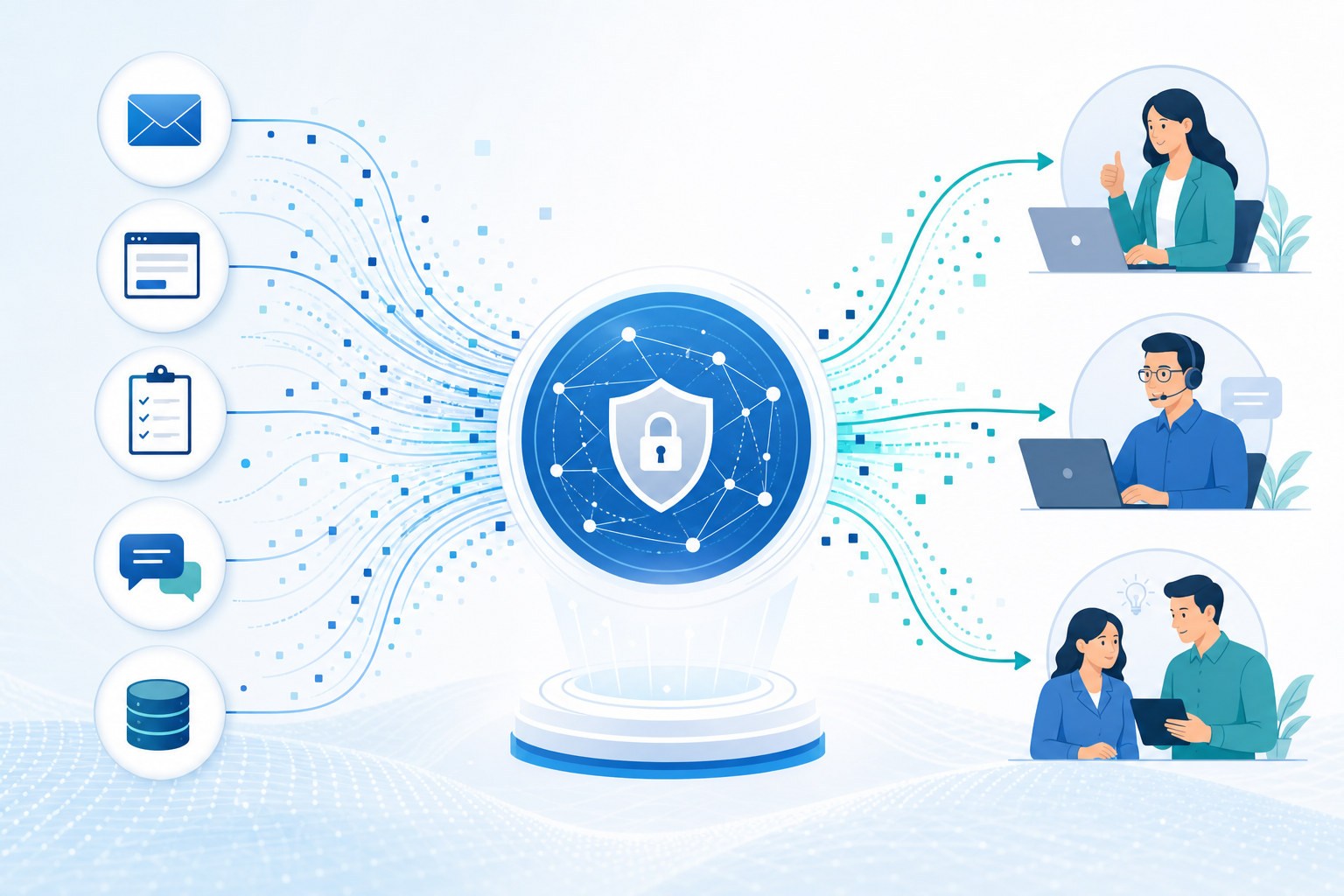
A customer feedback management automation solution turns scattered comments, survey responses and service complaints into a controlled process for listening, assigning ownership and responding. Therefore, useful signals no longer have to sit in shared inboxes, spreadsheets, review sites or private account notes until the chance to resolve a concern has passed.
The aim is not to automate every customer conversation. Instead, create a reliable closed loop that captures feedback in context, interprets it consistently, routes it to the right person and records what happens next. This approach complements broader customer success automation and the governance used in workflow automation consulting.
Key Takeaways
- Centralise the signal
Bring survey, support, review, sales and account-management feedback into a governed record rather than relying on disconnected inboxes and spreadsheets.
- Keep context attached
A useful feedback record includes the customer, source, product or service area, account owner, consent status and supporting evidence.
- Use AI with controls
AI can classify themes and prioritise likely concerns, while people should review ambiguous, sensitive and high-impact cases.
- Design the closed loop
Automation should create accountable follow-up tasks, escalation paths and an auditable resolution history—not just a dashboard.
How Customer Feedback Management Automation Works
A customer feedback management automation solution connects collection to a visible, accountable response process.
- 1
Collect the feedback
For example, a trigger receives structured or unstructured feedback from a survey, support inbox, web form, review-monitoring service or account review note.
A captured feedback event with source and time - 2
Create a complete record
Then the workflow validates key fields, links the feedback to a customer or case where possible, and securely stores the original response or message.
A central feedback record with customer context - 3
Classify and prioritise
In addition, rules and suitable AI identify themes such as billing, product quality, delivery, onboarding or support. Priority can reflect sentiment, keywords, customer tier and open cases.
A category, confidence level and response priority - 4
Assign accountable ownership
Accordingly, the system directs the item to a named team, queue or account owner by category, region, product line, relationship and severity.
An owned task or case with a response target - 5
Escalate exceptions
Meanwhile, high-risk signals, repeated complaints or missed targets trigger an alert and escalation path. Sensitive cases can require specialist review before external communication.
A documented escalation where required - 6
Close the learning loop
Finally, staff record the action, outcome and follow-up status after contact or investigation. Aggregated themes can then inform service, product and account decisions.
An auditable outcome and usable trend data
In practice, the architecture preserves source context while giving operational teams one shared view of feedback and follow-up.
- Customer channels Surveys, support, reviews, calls and account interactions
- Feedback hub A governed record store with customer and case context
- Decision layer Rules, AI classification, prioritisation and deduplication
- Work queues Support, customer success, product, quality or leadership ownership
- Follow-up history Tasks, communications, approvals, outcomes and audit trail
Capture Customer Feedback Across Every Touchpoint
A customer feedback management automation solution is more actionable when every source enters the same operating model with its useful context intact.
Transactional Surveys
A survey response may arrive after delivery, support, training or a renewal conversation, yet teams often export and distribute it manually.
Therefore, connect the survey platform to a central record and attach the relevant order, ticket, project or account where identifiers are available.
- Faster visibility after key moments
- Consistent response fields
- Better service-context matching
Support Conversations
Service agents receive useful comments in emails, calls and chat transcripts; however, insight may remain only within the support ticket.
As a result, flag explicit feedback or selected outcomes and create a linked item without asking agents to re-enter the same data.
- Reduced duplicate entry
- Connection to the original case
- Earlier detection of recurring issues
Reviews and Social Signals
Public comments can affect trust quickly, while ownership may be unclear when monitoring is separate from customer service.
Import permitted review or social-monitoring alerts, preserve the source link and, where appropriate, place material concerns in a monitored response queue.
- Clear ownership of public concerns
- Traceable response decisions
- More complete voice-of-customer data
Account Team Notes
Customer success and sales teams hear strategic feedback in reviews, renewal discussions and informal calls that may not reach operational teams.
Similarly, provide a guided CRM action that records theme, urgency and impact, then routes it through the shared feedback workflow.
- Less reliance on private notes
- Stronger account context
- Visible product and service requests
Use AI to Analyse Sentiment and Identify Customer Concerns
AI can help teams handle open-text feedback, provided its outputs remain decision support rather than unquestioned fact.
Open-text feedback is difficult to report on consistently because customers describe the same issue in different words. An AI-enabled customer feedback management automation solution can propose sentiment, themes, intent and urgency from survey comments, emails, call summaries and case notes. For example, it may group remarks about delayed replies, unclear setup and missing updates under service responsiveness.
However, sentiment is not severity. A polite message may describe a serious regulatory, security or billing concern, while a strongly worded comment may concern a minor inconvenience. Therefore, priority rules should combine AI output with explicit indicators such as complaint category, customer impact, contractual commitment, repeat occurrence and account status.
Design Customer Feedback Automation Classifications Around Decisions
Start with a manageable taxonomy that maps to actions. Typical categories include product defect, usability, delivery, billing, support experience, feature request, training need and renewal risk. Each category needs a definition, accountable owner and next-step rule. As a result, reports are more consistent and teams receive work they can act on rather than a broad sentiment label.
Use Feedback Automation Confidence Thresholds and Loops
AI classification is most reliable when monitored. Low-confidence results can enter a review queue, while staff corrections create a useful quality-control dataset. Additionally, test category accuracy against a representative sample, especially after product, policy, terminology or segment changes.
Where AI Adds Practical Value in Customer Feedback Automation
A customer feedback management automation solution can use AI for repeatable interpretation, while retaining review points for material decisions.
Theme Detection
For example, group similar comments into operational themes even when customers use different language for the same concern.
- Recurring service issues
- Emerging product requests
Sentiment Triage
Apply positive, neutral or negative indicators to help teams sort substantial volumes of free-text feedback for review.
- Queue prioritisation support
- Trend monitoring inputs
Summary Drafting
Similarly, create concise internal summaries of long messages or grouped comments while retaining a link to the original source.
- Faster hand-offs
- Consistent briefing notes
Automate Feedback Routing, Escalation and Customer Follow-Ups
A customer feedback management automation solution creates controlled hand-offs after a concern has been identified.
Collecting and analysing feedback has limited value if nobody owns the response. A feedback management workflow automation design should create a task, case or queue item for the responsible team and record a response expectation. Routing can consider category, region, product line, language, account owner, case status and severity.
For instance, a billing dispute might route to finance operations with account details attached. A suspected product defect may go to support for acknowledgement and to product or quality teams for investigation. Meanwhile, a renewal-risk signal can notify the assigned account owner so it is considered within the wider relationship rather than as an isolated survey response.
Separate Feedback Automation Acknowledgement From Resolution
Not every concern can be resolved in one interaction. Consequently, workflows should distinguish acknowledgement, investigation and confirmation of the final outcome. This prevents a task being closed simply because an email was sent and gives managers a clearer view of unresolved themes.
Use Customer Feedback Escalation Rules Teams Can Explain
Escalation should use documented conditions, not only a negative-sentiment score. Examples include safety issues, privacy concerns, formal complaints, repeated contact, high-value account risk or a missed internal target. However, high-impact external messages should remain subject to human approval where legal, contractual or reputational considerations apply.
Example Routing Rules for Customer Feedback Automation
Therefore, tailor these illustrative rules to your teams, response commitments and risk policy.
Low score after a completed support case
- Primary owner
- Support team lead
- Automated action
- Create review task and attach the related case
- Human control
- Lead decides whether coaching or customer contact is needed
Comment indicates an unresolved billing issue
- Primary owner
- Billing operations
- Automated action
- Assign to billing queue and notify account owner
- Human control
- Specialist validates account and payment details before reply
Potential privacy, safety or security concern
- Primary owner
- Designated risk owner
- Automated action
- Send high-priority alert and restrict broad distribution
- Human control
- Qualified reviewer determines investigation and communication
Repeated negative feedback from a strategic account
- Primary owner
- Customer success manager
- Automated action
- Open account-risk action and schedule review reminder
- Human control
- Account team agrees the recovery plan and customer message
Customer Feedback Automation Use Cases and Business Benefits
A customer feedback management automation solution is most valuable where feedback creates avoidable delay, unclear ownership or incomplete learning.
Post-Service Recovery
A business receives low ratings after delivery or support work, but supervisors discover the issue only in periodic reports.
Trigger a priority review item when a defined score or comment condition is met, linking it to the service interaction and accountable team.
Consequently, teams can see concerns sooner, coordinate a considered response and identify repeat service problems.
Technology: Survey integration, case management and workflow rules.
Product Feedback Triage
Feature requests, usability comments and defect reports arrive through support, sales and online channels in inconsistent formats.
Centralise submissions, use a defined taxonomy and AI-assisted categorisation, then send validated themes to product or quality review queues.
Product teams may receive more structured evidence, while duplicate or unrelated requests can be identified before planning.
Technology: API integrations, AI classification and a feedback repository.
Account Health Monitoring
Negative comments from reviews or renewal discussions are recorded in personal notes and may not affect account planning.
Create a feedback action from CRM notes or review forms, connect it to the account and notify the relevant customer success owner.
In turn, account teams can consider feedback alongside adoption, support history and renewal activity when deciding next steps.
Technology: CRM integration, task automation and approval workflows.
Customer renewal workflowsBuild Customer Feedback Automation Foundation
A customer feedback management automation solution usually starts more effectively with one well-governed workflow than every source at once.
- Map feedback sources
List where feedback arrives, who monitors it, available identifiers and whether each source connects through an API, export, email trigger or custom integration.
- Define the feedback record
Agree essential fields: source, date, customer or account reference, original content, category, sentiment, severity, owner, status, action and outcome.
- Set routing ownership
Name the teams and roles responsible for each type. In addition, include a fallback queue so incomplete records are never left unassigned.
- Document priority rules
Specify what makes an item routine, urgent or high risk. Combine business rules with AI suggestions instead of using a model score alone.
- Choose integration boundaries
Decide which systems exchange information, such as CRM, help desk, survey platform, email, warehouse or collaboration tools, and minimise unnecessary movement.
- Pilot and refine
Start with one channel or type, review misroutes and missing data, then adjust taxonomy, notifications and approvals before extending the process.
Choose Customer Feedback Automation Technology
A customer feedback management automation solution should be selected around integrations, governance, maintenance, scale and decision-rule complexity.
Low-Code Workflows
Suitable for many approval, notification, task-creation and Microsoft 365-connected processes where teams need transparent maintenance.
Workflow automation consultingCRM and Case Platforms
Useful when feedback ownership, customer history, service cases and account activity need to remain in a shared customer record.
Custom Integration Services
Appropriate for specialised survey tools, review platforms, complex validation, high-volume processing or tailored API and data-handling logic.
Governance for Customer Feedback Automation
Customer comments can contain personal data, commercially sensitive information and allegations that require careful handling.
Before deploying a customer feedback management automation solution, define who can view raw comments, change classifications and close an item. Role-based access is especially important when feedback includes personal information, employee names, payment details, health-related information or sensitive complaints. In addition, retention periods should reflect the business purpose and applicable privacy requirements.
Automation design must also account for consent and channel rules. A customer may agree to a service survey without agreeing to unrelated marketing communication. Therefore, follow-up messages should use approved templates, respect communication preferences and be sent only where the organisation has an appropriate basis and process for contact.
Measure Feedback Automation Operational Health, Not Just Sentiment
Useful reporting can show feedback volume by source, open items by owner, ageing concerns, recurring themes, AI correction rates and completion of required follow-ups. These measures help managers improve the process. However, they should not become a simplistic scorecard for individuals or teams without considering workload, complexity and customer outcomes.
Review Customer Feedback Automation Exceptions Regularly
Rules can drift as products, teams and customer journeys change. Consequently, review failed integrations, duplicate records, unassigned items, overdue tasks, escalation accuracy and AI confidence thresholds periodically. This keeps the closed-loop feedback system practical rather than another unattended queue.
Build a Reliable Customer Feedback Management Automation Solution
Feedback is more valuable when it reaches the right owner with enough context for a responsible decision.
A customer feedback management automation solution works best when it supports a disciplined operating model rather than simply collecting more responses. Central records, sensible categorisation, clear routing and documented follow-ups help teams move from scattered comments to visible action. Equally, human review remains essential for sensitive, ambiguous and high-impact situations.
Ultimately, begin with a defined journey and test the quality of data and hand-offs before extending the process. The resulting trend data can then support better service recovery, product decisions and account conversations.
Customer Feedback Automation FAQs
These answers address practical considerations when planning customer feedback automation.
Customer feedback management automation uses workflows, integrations and, where appropriate, AI to collect feedback from defined channels, create a central record, classify the issue, assign ownership, trigger reminders or escalations and record the follow-up outcome.
AI can help draft summaries or response suggestions; however, automatic external responses are not appropriate for every situation. Formal complaints, sensitive personal data, compensation requests, legal issues and high-value concerns should normally be reviewed by a qualified person.
Start with a channel that has meaningful volume, a clear owner and a recognised operational consequence. For example, post-support surveys, service-completion feedback and renewal-risk comments can link to an existing case or customer record.
Not necessarily. Many customer feedback automation solutions connect existing survey, CRM, help desk, email and collaboration tools. The right approach depends on available APIs, data quality, security requirements, workflow complexity and integration maintenance.
Use a matching strategy based on source identifiers, customer or case references, message timestamps and defined time windows. Then flag likely duplicates for review instead of creating separate tasks for the same underlying concern.
Need Help Automating Your Customer Feedback Process?
JiyanaTech can assess your current customer feedback management process and design a maintainable automation solution around your systems, controls, integrations, security and support needs.
- Free Consultation
- Discuss feedback channels, ownership rules, integrations and appropriate automation options.