

Customer success automation helps teams manage a growing portfolio without relying on scattered notes, manually updated spreadsheets and individual memory. When customer information is fragmented, a promised outcome can be missed during handover, declining usage may go unnoticed, and an account manager may enter a review meeting without a complete picture of the relationship. Therefore, a connected operating model gives teams a more dependable way to coordinate the customer journey.
Additionally, sales context can move into success, onboarding tasks can follow a defined plan, and health signals can be monitored while the right person is prompted when judgement is needed. For the onboarding foundation, see this guide to automated customer onboarding workflows. Teams looking to extend the process through renewal decisions can also review customer renewal management automation.
Key Takeaways
- Connect the Full Journey
Automation is most useful when handover, onboarding, adoption, account activity and review preparation share a consistent customer record.
- Design for Action
Therefore, a health score should create a clear next step, owner and escalation path rather than merely label an account as red, amber or green.
- Keep Goals Visible
Customer objectives and milestone dates need structured fields so progress can be reviewed and followed up consistently.
- Use AI with Review
AI can prepare summaries and surface themes; however, account owners should validate customer-facing statements and recommendations.
- Protect Sensitive Data
Access controls, data-quality checks and approval points are essential when workflows use customer, commercial or support information.
- Start with One Bottleneck
For example, a focused workflow for sales handover or low-engagement follow-up can establish reliable patterns before broader automation.
How Customer Success Automation Transforms Operations
In practice, customer success automation does not automate the relationship. Instead, it gives people timely context, dependable follow-through and fewer administrative gaps.
Automated Customer Success Management: One Customer Record
Sales notes, onboarding tasks, support history and usage data often sit in different tools, leaving account owners to assemble the story manually.
Therefore, synchronize agreed customer fields and key events into a governed account record, with links back to source systems where detail is required.
- More complete account context
- Less duplicate data entry
- Clearer ownership at every stage
Customer Success Process Automation Operating Rhythm
Check-ins, adoption reviews and internal follow-ups can depend on an individual manager’s calendar habits rather than an agreed service model.
Use lifecycle events, milestone dates and engagement rules to create tasks, reminders and escalation routes for the appropriate owner.
- More reliable follow-through
- Fewer missed milestones
- Auditable customer activity
Automated Customer Success Management for Earlier Risk Signals
A customer may show low product activity, unresolved issues or stalled goals long before a renewal conversation brings the problem into view.
Consequently, combine selected signals into monitored conditions that notify a responsible person and create a structured recovery task.
- Earlier investigation
- Prioritized account work
- Documented recovery actions
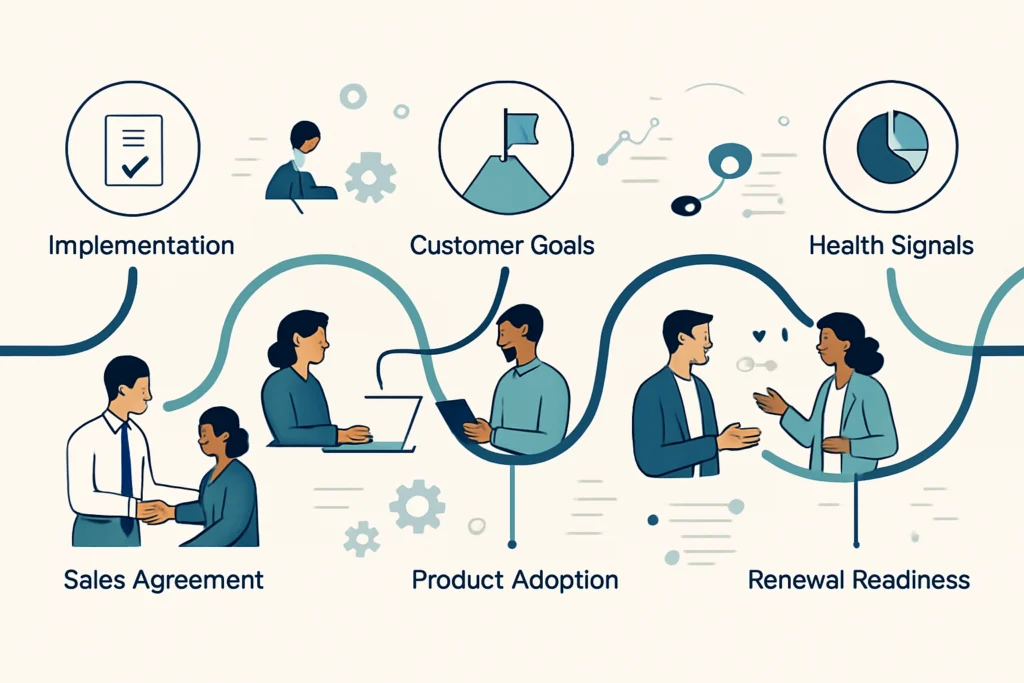
Customer Success Workflow Automation for Sales-to-Customer-Success Handover
In customer success automation, a handover workflow should transfer the commercial and operational context needed to deliver the outcome the customer expects. Consequently, the success team begins with agreed facts rather than reconstructing the sale from separate systems.
Customer Success Automation Starts With the Closed-Won Record
When an opportunity reaches the agreed stage, capture validated details such as contacts, products, commercial terms, implementation scope, desired outcomes and known risks.
A structured handover recordValidate Required Information
Then check that mandatory fields and attached documents are present. If critical information is missing, route a request back to the sales owner instead of passing an incomplete handover forward.
A complete handover packageCreate the Success Workspace
Next, create or update the customer account, assign the success owner and establish the linked workspace, project or account-plan location used by the delivery team.
An owned customer workspaceLaunch Internal Alignment
Meanwhile, notify the appropriate people with a concise briefing and schedule an internal review where complexity, dependencies or risk justify a conversation.
Shared internal contextStart the Welcome Journey
Trigger the selected onboarding path only after the handover is accepted, so the first customer communication reflects accurate ownership and agreed next steps.
A controlled onboarding start
Customer Success Workflow Automation for Success Plans
A plan should provide structure without pretending that every customer has the same priorities.
A customer success plan can be generated from an approved template when a handover is accepted. For example, the workflow can select a plan based on product line, service tier, implementation type, region or customer segment. It can then create standard milestones, responsible roles, target dates and review prompts.
However, customer success automation should not silently decide the customer’s strategy. The success owner should confirm the desired business outcomes, dependencies and stakeholder map before the plan becomes active. This review is particularly important when the sale includes bespoke commitments, regulated requirements or a complex implementation. Used well, customer success automation keeps plan updates visible without making the plan rigid.
Customer Success Process Automation for Goals and Milestones
Goals become useful for automation only when they are structured. Rather than storing an objective solely in meeting notes, record the goal statement, executive sponsor, measure of progress, target review date and current status in defined fields. Consequently, a workflow can remind the owner before a milestone is due, flag a stalled item and include open goals in a review summary. Narrative context still belongs in account notes; however, key progress signals need a consistent home.
Customer Success Workflow Automation for New Customer Welcome and Engagement
Meanwhile, customer success automation can coordinate early communication without making it feel like a generic sequence sent without awareness of the customer's situation.
Build Event-Based Welcome Messages
Use lifecycle events to prepare welcome emails, introduce the named customer success contact, share the agreed next action and prompt the customer for required setup information. In practice, different paths may be appropriate for self-guided, assisted and enterprise onboarding.
- Confirm the right recipients before sending
- Pause or adapt messages when a human intervention is open
- Record delivery and response events on the account
Turn Engagement Into Context
Welcome activity should feed the account record rather than remain trapped in an email platform. For example, a completed kickoff, training attendance, unanswered setup request or delayed implementation task can update the customer’s current onboarding status.
- Create tasks for meaningful non-response
- Avoid duplicate reminders across channels
- Give account owners a clear activity timeline
Customer Success Health Score Automation
With customer success automation, a useful health model combines a small number of meaningful signals and treats the score as a prompt for investigation, not an automatic verdict on the relationship. Therefore, teams should define what each signal means before attaching actions to it.
Onboarding progress
- What to monitor
- Completion of agreed setup tasks and milestone status
- Automation response
- Create a follow-up task when required work remains open past its planned review point
- Human check
- Confirm whether the delay is customer-led, internal or no longer relevant
Product engagement
- What to monitor
- Relevant activity, key-feature use or changes in usage patterns
- Automation response
- Alert the account owner when a defined engagement condition persists
- Human check
- Interpret activity in the context of the customer's expected use case
Support experience
- What to monitor
- Open priority issues, recurring requests and unresolved escalations
- Automation response
- Link meaningful support events to the account timeline and recovery workflow
- Human check
- Review severity, ownership and the customer communication plan
Relationship progress
- What to monitor
- Goal status, stakeholder engagement and completed review actions
- Automation response
- Prompt an account review when objectives remain unclear or actions stagnate
- Human check
- Validate relationship quality through direct customer conversation
Identify At-Risk Customers Before They Churn with Customer Success Risk Automation
Customer success automation works best for risk when it identifies patterns that deserve attention and gives teams a practical route to investigate them before customer concerns compound.
Stalled Onboarding
Implementation tasks have not progressed, training is incomplete or a key decision remains unresolved after the expected onboarding checkpoint.
Therefore, combine milestone status with ownership rules to open a recovery task, summarize the outstanding items and notify the accountable success owner.
The team can review a possible onboarding blockage earlier and agree a customer-appropriate recovery plan.
Declining Product Use
Relevant activity falls below the customer’s expected operating pattern, but the change is not visible in the CRM record.
Bring selected product events into the customer record and evaluate them against a documented engagement condition.
As a result, an account manager can investigate the cause with context rather than discovering the change during a later meeting.
Unresolved Customer Friction
A customer has recurring support concerns, delayed responses or a growing list of open actions across multiple teams.
Link material support events to the account, assign a coordinator and create an internal escalation when defined conditions are met.
Consequently, cross-functional teams can coordinate a response before concerns become harder to recover.
Customer Success Workflow Automation for Check-Ins and Follow-Ups
Moreover, customer success automation can prepare scheduled outreach around lifecycle stage, account context and prior communication while the account owner retains control of the conversation.
- Define the Trigger
Use a milestone, review cadence, unresolved action or meaningful engagement condition rather than a one-size-fits-all timer.
- Select the Account Owner
Then assign follow-up to the responsible person and define a fallback route for leave, reassignment or inactive ownership.
- Prepare Account Context
Include recent activity, open actions, current goals and relevant support events in the task or draft communication.
- Respect Communication Rules
Before messages are sent, honor consent, contact preferences, quiet periods and account-specific communication agreements.
- Capture the Response
After the interaction, log the result, next action and material customer feedback in the shared account record.
- Escalate Meaningful Exceptions
Instead of automating the decision, route high-risk, contractual, financial or sensitive matters to an appropriate person for review.
Customer success automation can schedule quarterly business review preparation and coordinate readiness, rather than simply placing a recurring meeting on a calendar. Therefore, the review can begin with current account context and clear internal ownership.
- Identify Eligible Accounts First, evaluate the account's review cadence, lifecycle stage, owner and any conditions that should delay or alter the review.
- Propose a Review Window Then create planning tasks or calendar options for internal preparation and customer scheduling, with ownership for confirmation.
- Assemble Review Inputs In addition, collect approved account facts: progress toward goals, adoption trends, completed actions, open risks and stakeholder notes.
- Track Decisions and Actions After the review, record agreed actions, owners and review dates so follow-through is visible in the next account cycle.

Customer Success Workflow Automation for Review Summaries with AI
Customer success automation can reduce the effort of assembling review context with AI, provided that input data, access controls and the review process are designed responsibly.
Use AI for Evidence Assembly
An AI-assisted workflow can organize approved inputs from account notes, completed actions, support summaries, product events and goal records into a proposed internal review brief. It can also group recurring themes.
- Use approved, relevant source data
- Cite or link back to source records where possible
- Keep generated drafts within controlled systems
Keep Human Review Mandatory
However, a person should validate factual claims, tone, customer commitments and recommendations before a summary is shared externally. AI output can be incomplete, overly confident or wrong when the underlying information is missing or ambiguous.
- Do not treat a draft as a system of record
- Exclude sensitive data where not necessary
- Document the final approved version
Customer Success Workflow Automation for Product Adoption and Usage Tracking
Customer success automation should connect usage data to a conversation about customer value, not create surveillance for its own sake. Consequently, select signals that reflect the customer's intended use case.
Product Event Sources
Product analytics, application databases or event platforms may provide activity signals such as activation, meaningful feature use and workflow completion. The appropriate source depends on how the product records events.
Customer System Records
A CRM, customer success platform or custom account application can hold goals, ownership, lifecycle stage, notes, health conditions and follow-up actions in a governed customer view.
Account management automationIntegration and Workflow Layer
An integration layer can move approved events between systems, apply rules, create tasks and retain an audit trail. Suitable options vary according to security, data volume, licensing, support needs and existing platforms.
Make Customer Success Operations More Consistent, Not Less Human
The objective is dependable execution around the moments that matter to customers.
Ultimately, customer success automation is most valuable when it connects the work that already matters: preserving sales context, agreeing goals, guiding onboarding, monitoring meaningful activity, preparing account conversations and recording commitments. As a result, teams can spend less time chasing updates and more time interpreting what customers need next.
Build the workflow around accountable people, trustworthy data and visible exceptions. Automation can make routine work consistent; however, it should leave room for the judgement, empathy and commercial understanding that strengthen customer relationships.
A reliable customer success automation solution begins with a clear process boundary, accountable owners and visible exception handling. Test it with realistic data, document support responsibilities and review operating evidence after launch before expanding the design.
A reliable customer success automation solution begins with a clear process boundary, accountable owners and visible exception handling.
Test it with realistic data, document support responsibilities and review operating evidence after launch before expanding the design.
Frequently Asked Questions
These answers address practical decisions teams commonly face before automating customer success work.
Customer success automation is the use of connected workflows, data integrations and rules to handle repeatable work across the customer lifecycle. Typical examples include creating handover records, assigning onboarding tasks, monitoring selected health signals, scheduling review preparation and tracking follow-up actions.
No. Instead, the strongest use of automation is to reduce repetitive coordination and provide better context for people. Customer success managers still need to interpret customer needs, build trust, manage exceptions, make strategic recommendations and handle sensitive conversations.
Begin with a process that is repetitive, rules-based and currently prone to missed steps or manual data movement. For example, sales-to-customer-success handover, onboarding task creation, check-in reminders and low-engagement task routing are often practical starting points when their data inputs are reliable.
The useful data depends on the business model, but may include onboarding progress, meaningful product activity, support context, goal status and relationship engagement. Use a small set of signals that account teams understand, and always provide a way to investigate the reason behind a score change.
AI can help prepare an internal draft when it is connected to approved data sources and used within appropriate security controls. However, a knowledgeable person should review accuracy, commitments, sensitive information and tone before the summary is sent to a customer or used for important decisions.
Ready to Improve Customer Success Workflows?
JiyanaTech can assess your current customer success process and design a maintainable automation solution around your systems, controls, integrations, security and support needs.
- Book a discovery call
- Discuss the customer success processes, systems and control points that are most suitable for automation.