
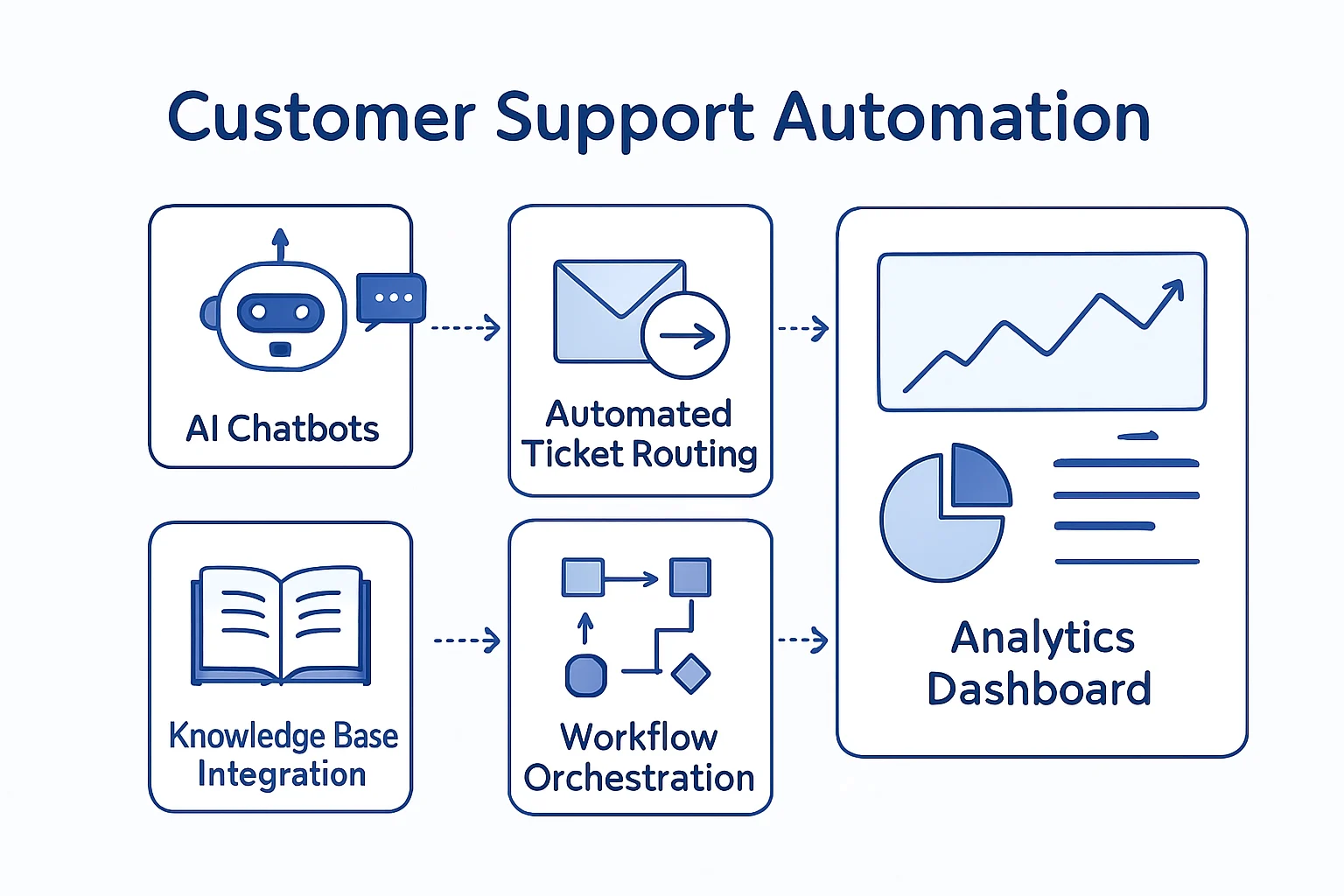
Customer support automation services help teams handle repeatable service work more consistently while avoiding the mistake of treating every customer interaction as work for a bot. In practice, the strongest approach connects the right systems, applies clear rules to routine requests, and gives agents useful context when a conversation needs empathy, judgement, or an exception.
For example, a business may combine workflow automation consulting with reliable system integrations so ticket data, customer records, order details, and notifications do not need to be copied between tools. Consequently, this guide explains what to automate first, how to choose an approach, and where human review should remain part of the process.
Key Takeaways
- Start with repeatable work
Therefore, prioritize frequent, rule-based tasks such as ticket categorization, acknowledgement messages, status updates, and information retrieval.
- Keep judgement with people
However, escalations, refunds, sensitive complaints, legal issues, and low-confidence AI responses need defined human review paths.
- Connect the full process
In addition, support automation is more useful when the helpdesk, CRM, order platform, knowledge base, and communication channels exchange reliable data.
- Build for governance
Consequently, access controls, audit trails, exception handling, and ownership are essential as support volume changes.
What Customer Support Automation Services Include
Automation should remove avoidable administrative work while preserving a clear path to knowledgeable people.
Customer support automation services combine business-process design, system integration, rules, and sometimes AI assistance to handle predictable support activity. In other words, they are not limited to chatbots. A well-designed service workflow can acknowledge a request, identify its likely topic, retrieve relevant customer information, assign the right team, create a follow-up task, and keep the customer informed.
However, automation is only as useful as the process behind it. If ownership is unclear, ticket categories are inconsistent, or customer data is spread across disconnected systems, automated messages can create more confusion rather than less. Therefore, the first objective is to make the support journey visible: where a request arrives, what information is needed, who owns the next action, and what counts as a completed resolution.
In practice, support workflow automation may operate inside a helpdesk platform, connect cloud services through APIs, use low-code workflow tools, or rely on a custom application for complex requirements. The right choice, meanwhile, depends on the systems involved, data sensitivity, expected scale, and the level of control the organization needs.
High-Value Customer Service Automation Scenarios
These scenarios are commonly suitable because the initial action can be defined clearly and repeated consistently.
Support Ticket Automation: Intake and Triage
Customers submit requests through email, web forms, chat, or social channels; consequently, agents can spend time identifying the issue and assigning it manually.
First, capture the request in one support queue, identify the channel and topic, check required details, apply priority rules, and route it to the appropriate team or queue.
- More consistent ticket records
- Clearer ownership from the start
- Less manual sorting for agents
Order and Account Updates
Agents repeatedly look up delivery, subscription, account, or payment information in separate systems before sending a simple status response.
Instead, use approved integrations to retrieve relevant status details and send a controlled update when the request meets predefined conditions. Escalate exceptions or disputed records to an agent.
- Fewer repetitive lookups
- More timely customer updates
- Better use of existing system data
Knowledge-Guided Responses
The same product questions reach agents repeatedly, and answers can vary depending on experience or access to current documentation.
For example, suggest knowledge-base articles, approved response templates, or AI-assisted drafts based on ticket context. Require agent review when the answer affects a commitment, policy, or account decision.
- More consistent information
- Faster access to approved guidance
- Reduced effort on common questions
Customer Service Automation and Human Review
A useful service workflow makes escalation deliberate rather than accidental.
Customer service automation works best when it assists people rather than hiding difficult decisions behind a rule. For example, a workflow can collect evidence, prepare a draft, notify a manager, and document the outcome. Nevertheless, it should not independently make high-impact decisions when the situation involves risk, ambiguity, or a customer relationship that needs care.
Requests That Need a Person
Keep a human approval or review step for refund exceptions, cancellations outside policy, complaints involving harm or discrimination, legal or privacy requests, security incidents, billing disputes, and unusual account changes. Similarly, AI-generated replies should be reviewed when confidence is low, the source material is incomplete, or the response could create a contractual commitment.
Clear routing rules are important here. Instead of asking agents to notice every exception manually, define triggers such as priority customer status, sentiment indicators, missing information, sensitive keywords, unusual order value, or repeated contact. As a result, automation can reduce administrative work while agents focus their attention where it is most valuable.
Build Reliable Support Workflow Automation
Design the flow around customer context, accountable ownership, exceptions, and a traceable final outcome.
- 1
Map Incoming Support Journeys
First, list the main request types, entry channels, service targets, current handoffs, and systems agents consult. Separate high-volume routine requests from complex cases.
A prioritized support journey map - 2
Define Data and Confidence Rules
Next, specify the data needed to categorize, route, or answer each request. Set rules for incomplete records, duplicate tickets, uncertain classifications, and sensitive topics.
Documented decision and exception rules - 3
Connect Trusted Systems
Then integrate the helpdesk with the CRM, order platform, identity tools, knowledge base, or internal teams only where the workflow needs verified information.
A controlled data-flow design - 4
Configure Actions and Escalations
Afterward, automate acknowledgements, assignments, reminders, updates, and approved knowledge suggestions. Route policy exceptions, low-confidence results, and urgent cases to people.
Testable automation paths - 5
Monitor, Review, and Improve
Finally, review failed runs, misrouted tickets, reopened cases, agent feedback, and policy changes. Update rules and source content as the support operation evolves.
An ongoing governance routine
A service operations layer should coordinate information across channels and systems rather than create another isolated inbox.
- Customer Channels First, email, forms, chat, messaging, and self-service requests enter through defined intake points.
- Automation Layer Then rules, APIs, workflow orchestration, and approved AI assistance categorize, enrich, route, and notify.
- Business Systems Meanwhile, helpdesk, CRM, order systems, knowledge sources, and collaboration tools provide trusted context and receive updates.
Customer Support Automation Services Technology Choices
Customer support automation services should select tools based on the workflow, existing systems, security needs, maintainability, and budget.
Native Queue Rules
For straightforward work, native helpdesk rules can handle assignments, service-level reminders, templates, and status updates when the process stays within one platform.
Cross-System Coordination
Where several systems are involved, low-code workflows, cloud orchestration services, or custom logic can coordinate actions with approvals, retries, and audit trails.
System integration servicesKnowledge Management
Similarly, a maintained knowledge base gives agents and AI-assisted tools a controlled source for product information, policies, and troubleshooting steps.
AI Assistance
AI can classify messages, summarize conversations, retrieve relevant content, or prepare drafts. However, guardrails and human review remain important for sensitive or uncertain cases.
CRM and Service Data
In addition, customer history, account status, orders, entitlements, and previous tickets can give agents better context when data access is appropriately controlled.
Monitoring and Security
Finally, logging, alerting, role-based access, retention controls, and workflow ownership help keep automations reliable after they move into daily use.
Selecting a Customer Service Automation Approach
The best customer support automation services approach is usually the simplest option that can safely handle the real process and its exceptions.
Is the task simple and contained in one helpdesk platform?
- Suitable automation pattern
- Start with native support rules for acknowledgements, assignments, reminders, tags, and standard response templates.
Does the request require data from several business systems?
- Suitable automation pattern
- Then use integration-led workflow automation with clear data ownership, authentication, validation, and error handling.
Does the process involve unstructured messages or large knowledge collections?
- Suitable automation pattern
- In that case, use AI-assisted classification, search, summarization, or drafting with approved sources, confidence thresholds, and agent review.
Does the workflow include complex logic, legacy applications, or high-volume processing?
- Suitable automation pattern
- Consider custom development, APIs, cloud services, or carefully governed RPA where off-the-shelf capabilities do not meet the requirement.
Measure Support Operations Quality
Automation should support a better service experience and a more manageable operation, not simply close tickets faster.
When evaluating customer support automation services, begin with a baseline of the current process. Specifically, review a representative set of tickets and identify where agents spend time searching, copying information, waiting for an internal response, or correcting incomplete records. Then choose measures that reflect both efficiency and service quality.
Signals to Monitor
- Routing accuracy: whether requests reach the appropriate team without repeated reassignment.
- Resolution quality: whether tickets reopen, escalate, or generate repeat contact after an automated step.
- Customer communication: whether acknowledgement and status messages are timely, accurate, and understandable.
- Agent effort: whether agents have the customer context and next action they need without repetitive lookup work.
- Automation reliability: whether failed runs, API errors, or missing data are detected and handled promptly.
Meanwhile, avoid treating a single metric as proof of success. A shorter handling time is not useful if it creates more follow-up contacts or prevents customers from reaching a person. Instead, review the evidence alongside agent feedback, customer comments, and exception patterns.
Implementation Readiness Checklist
Use this checklist to confirm that customer support automation services are ready for controlled implementation rather than just ready for a new tool.
- Define the request type
First, document the customer need, entry channels, expected outcome, and situations that should not follow the standard path.
- Confirm data ownership
Then identify the trusted source for customer, account, order, entitlement, and knowledge-base information used by the workflow.
- Set routing rules
In addition, define the queue, team, priority, service target, and escalation path for normal, urgent, incomplete, and sensitive requests.
- Write approved messages
Review acknowledgement, status, and self-service content so automated communications remain accurate and consistent with policy.
- Plan for exceptions
Importantly, decide what happens when data is missing, an integration fails, an AI response is uncertain, or a customer asks for a person.
- Assign ongoing ownership
Finally, name the people responsible for support policy, workflow maintenance, access reviews, issue monitoring, and continuous improvement.
Customer Service Automation Should Make Service More Intentional
The objective is not to automate every interaction; it is to create dependable service operations that use people and technology appropriately.
Effective customer support automation services begin with an honest look at how support work currently moves between customers, agents, teams, and systems. Once routine actions, required information, ownership rules, and exceptions are clear, automation can make the process more consistent and easier to manage.
Ultimately, prioritize complete customer journeys over disconnected shortcuts. Then keep people involved wherever a decision needs judgement, care, accountability, or a deeper understanding of the customer’s situation. This balance helps organizations improve support operations without losing the human service customers expect.
Support automation should improve routing, visibility, and communication while preserving enough context for employees to resolve unusual or sensitive requests. Track reassignments, overdue tickets, repeated issues, and customer feedback, then adjust classification and escalation rules using real service data.
Make each change observable: record the rule version, source data, action taken, and escalation reason. This evidence lets managers spot patterns, test improvements safely, and
Support automation should improve routing, visibility and communication while preserving enough context for employees to resolve unusual or sensitive requests.
Track reassignments, overdue tickets, repeated issues and customer feedback, then adjust classification and escalation rules using real service data.
Customer Service Automation FAQs
Clear answers to the questions teams often ask before automating support processes.
Customer support automation services design and implement workflows that handle repeatable support activities across systems. For example, this can include ticket intake, categorization, routing, data retrieval, status notifications, knowledge suggestions, follow-up tasks, approvals, and reporting. The goal is to reduce unnecessary manual work while maintaining appropriate customer service and human oversight.
It does not need to. Instead, customer service automation is usually most valuable when it removes repetitive administration and gives agents better context. Agents should remain responsible for complex questions, relationship-sensitive conversations, exceptions, complaints, policy interpretation, and decisions where empathy or accountability is important.
Start with a common request that follows clear rules and has a measurable outcome. Good candidates often include ticket acknowledgement, categorization, standard routing, internal notifications, appointment reminders, account-status updates, or retrieval of information from a trusted system. However, avoid beginning with a process that is poorly defined or has frequent exceptions.
AI can assist with drafting, summarization, classification, translation, and knowledge retrieval. Fully automated replies may be appropriate only for well-defined, low-risk questions supported by current approved content. For financial, legal, privacy, security, policy, or low-confidence cases, however, use human review and a clear escalation path.
Support ticket automation can connect systems through built-in connectors, APIs, integration platforms, workflow services, or custom software. The right method depends on the systems involved, authentication requirements, data volume, security controls, error handling needs, and the level of customization required. Therefore, a process and integration assessment helps identify the safest practical option.
Map Your Service Journey
Turn a defined support journey into a practical, controlled automation plan.
JiyanaTech can assess your current customer support services process and design a maintainable automation solution around your systems, controls, integrations, security and support needs.
Discuss This Workflow