
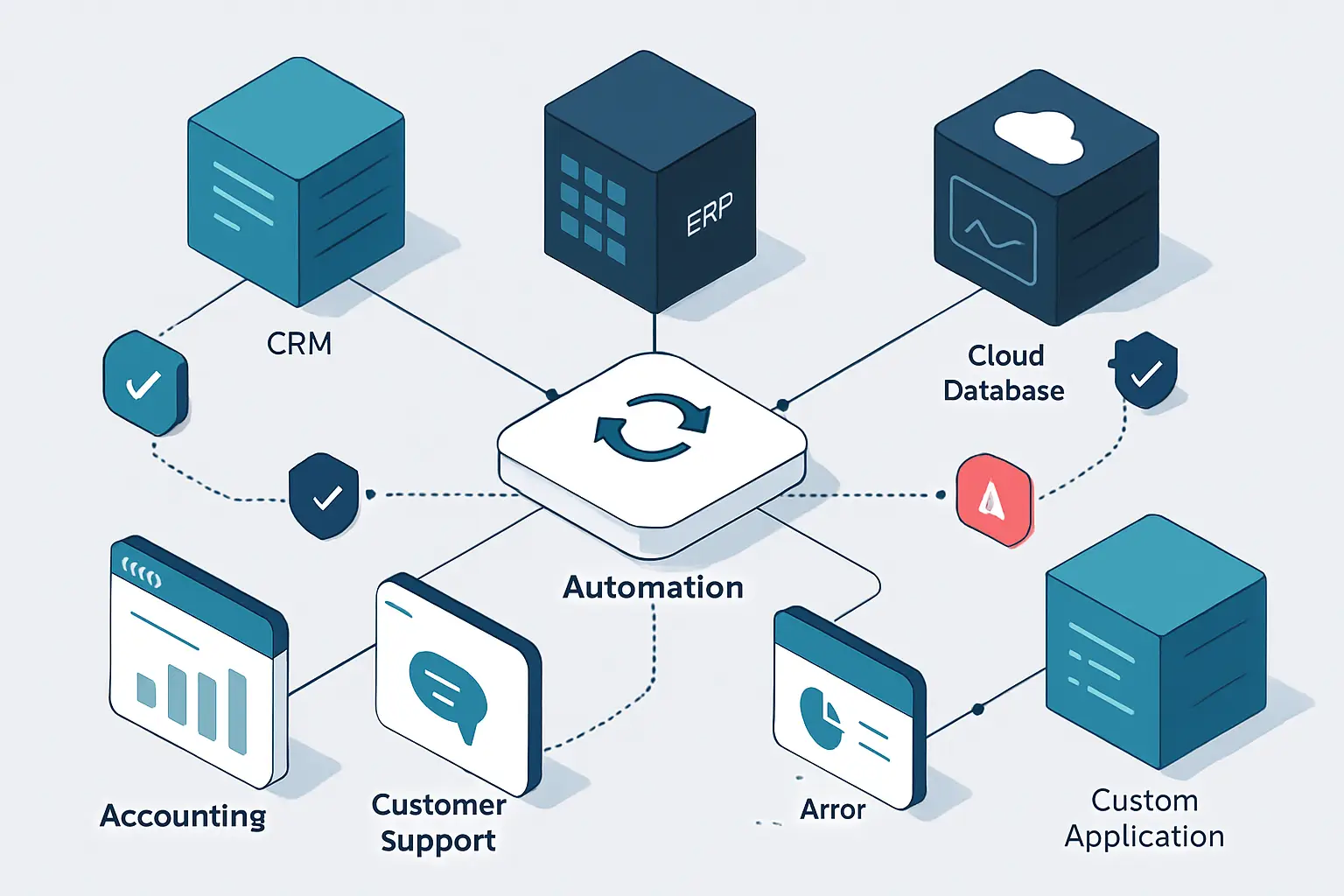
Power Automate API integration automation services help organizations move trusted information between the systems that share responsibility for customers, orders, invoices, cases, employees, and operational work. When teams re-enter the same record in a CRM, ERP, accounting tool, support platform, and SharePoint, delays and conflicting values can become routine operational risks. Therefore, a dependable connection needs more than an API call: it needs ownership rules, validation, safe retries, visibility, and a route for records that need human attention.
A practical design starts with the handoff that causes the most avoidable work. In addition, JiyanaTech’s Power Automate consulting and workflow automation services can help assess that handoff, while this guide on automating data entry and validation provides related guidance for protecting business records before they move downstream.
Key Takeaways
- Define data ownership
First, assign an authoritative system for every important business object and, where needed, for individual fields before enabling automated updates.
- Choose timing deliberately
Then use automated, scheduled, instant, or approval-led flows according to the event, urgency, volume, and risk of the handoff.
- Validate before sending
In practice, check required values, formats, statuses, identities, and destination responses at each system boundary.
- Process duplicates safely
Use stable source identifiers, match rules, checkpoints, and API idempotency features where available; consequently, duplicate downstream records are less likely.
- Plan for incomplete runs
Retries are not a complete recovery strategy. Instead, critical integrations also need exception ownership, targeted reprocessing, and reconciliation.
- Protect production access
Finally, use least-privilege non-personal identities, connection references, environment separation, DLP policies, and meaningful monitoring.
Why Power Automate System Integration Automation Reduces Operational Risk
Manual re-entry often reveals unclear process ownership as well as missing technical connectivity.
A sales team may qualify an opportunity in a CRM while finance needs an approved customer record in an accounting application and delivery needs the same details in an ERP or project system. As a result, small differences in legal name, address, tax status, products, payment terms, or contact details can become consequential when each team creates its own version.
Moreover, a connection that only copies fields can make the situation worse. It may overwrite a value owned by another team, create a duplicate after a timeout, or fail without notifying anyone. Reliable Power Automate API integration automation services therefore need defined ownership, controlled timing, validation, and an exception path. The API is important; however, the operating rules around it determine whether the connection can be trusted.
Power Automate API Workflows: API Integration vs System Automation
An API supplies a communication method; meanwhile, Power Automate business system connections govern the operational process that uses it.
What an API Provides
An application programming interface lets one application request information from another or ask it to perform an action. For example, an API may retrieve an invoice status, create a customer, update a support case, or return a product list.
- A defined request and response
- An authentication method
- A supported set of actions
What Automation Adds
By contrast, a Power Automate-led integration defines what starts the process, what data is required, which system owns a value, what happens if an endpoint is unavailable, and who resolves a conflict.
- Business rules and approvals
- Exception handling and recovery
- Operational monitoring
Power Automate Business System Connections for Critical Handoffs
Start with a repeatable cross-system handoff that has visible pain and accountable owners; in particular, choose one with a meaningful downstream consequence.
Lead-to-Customer Handoff
Sales may qualify a customer in a CRM while finance, delivery, and support need approved information in separate applications.
An automated cloud flow can validate the approved record, match or create the customer in approved destinations, and then notify downstream owners.
- Less repeated entry
- Traceable account creation
- Clearer ownership
Order and Invoice Coordination
Meanwhile, order, fulfillment, accounting, and approval systems may hold overlapping values that drift apart after manual updates.
A flow can validate an approved order, pass mapped references to connected systems, and, where needed, route invoice or payment mismatches for finance review.
- Consistent identifiers
- Earlier exception detection
- Visible review route
Service Case Escalation
Similarly, support teams may need entitlement, delivery, contract, or account context held outside the service platform.
A case trigger can retrieve approved external context, update relevant references, and consequently notify the responsible team when escalation criteria apply.
- More consistent context
- Defined escalation paths
- Recorded follow-up
System-of-Record Rules for Power Automate API Workflows
Every significant data group needs an explicit answer when systems contain different values.
For each business object, such as a customer, contact, product, order, invoice, employee, or support case, identify the authoritative system. Then go further and assign ownership at field level where it matters. A CRM may own lead status and account-manager details, for example, while an ERP may own credit status, fulfillment status, and inventory availability.
Additionally, document which updates may flow in each direction. However, bi-directional synchronization is not automatically better. If both systems can overwrite the same value without a conflict rule, silent data-quality issues can spread quickly. Therefore, a practical specification names the source of truth, permitted updates, conflict behavior, and business owner for each important field group.

Choose a Power Automate API Integration Pattern by Operational Need
The right Power Automate API integration automation services pattern depends on the cost of delay, the number of dependent actions, and the systems that own the data.
Scheduled synchronization
- Best Fit
- Changes can wait for a defined interval, such as a product or account update.
- Power Automate Approach
- Scheduled cloud flow using a change marker, modified date, or incremental query.
- Key Design Control
- Process changed records and, consequently, reconcile missed updates.
Event-triggered update
- Best Fit
- A customer-facing or operational event needs a timely response.
- Power Automate Approach
- Automated cloud flow triggered by Dataverse, SharePoint, Dynamics 365, a webhook, or a supported connector.
- Key Design Control
- Expect duplicate delivery and therefore make every action safe to repeat.
Workflow orchestration
- Best Fit
- Several actions, approvals, notifications, and updates must occur in a controlled sequence.
- Power Automate Approach
- Cloud flow with scopes, conditions, child flows, approvals, and checkpoint records.
- Key Design Control
- Define the response to partial completion before launch.
Integration hub pattern
- Best Fit
- Multiple systems need governed access to shared operational data or reusable interfaces.
- Power Automate Approach
- Power Automate uses HTTP actions or custom connectors with a suitable API, Azure component, or custom service.
- Key Design Control
- Version interfaces, document contracts, and assign monitoring ownership.
How Power Automate API Integration Automation Services Work
Power Automate can act as a governed orchestration layer around connected systems and APIs.
In practice, Power Automate can receive a business event, retrieve the relevant source record, apply conditions and expressions, call connector actions or an API, update connected records, and notify people when attention is needed. In addition, for common Microsoft workloads, Dataverse, Dynamics 365, SharePoint, Teams, Outlook, Business Central, Forms, and Approvals may provide much of the required workflow capability.
When a standard connector does not expose the required operation, an HTTP action or custom connector may provide a controlled route to a documented REST API. However, a flow should not become an unmaintainable collection of hidden rules. Reusable child flows, clear action names, connection references, environment variables, scopes, and a separate operational log can, in turn, make a Power Automate API workflow easier to understand and support. This structure is central to dependable Power Automate API integration automation services.
Build a Reliable Power Automate API Integration Flow
These stages turn a business handoff into a Power Automate API integration automation services workflow that can be tested, operated, and changed responsibly.
Define the Qualifying Event
First, choose the precise state that permits downstream processing, such as an approved order, validated customer, or escalated case. Then add trigger conditions where appropriate so irrelevant edits do not start the flow.
Documented trigger and eligibility ruleRetrieve the Source Record
Next, get the current data through the relevant connector, Dataverse row, SharePoint item, secure API action, or custom connector. In addition, retrieve required related records rather than relying on an incomplete trigger payload.
Complete source payloadValidate and Normalize Values
Then check required fields, dates, codes, currency values, status prerequisites, and match keys. Next, normalize values into the format expected by the destination before making a request.
Integration-ready recordMatch Before Creating
In particular, use a stable external identifier or approved match rule to find a destination record. Consequently, record the destination identity before creating a new record where the process requires it.
Confirmed destination identityExecute Dependent Actions
Subsequently, create or update approved records, generate documents, request an approval, or notify a team in a deliberate sequence. Use scopes and child flows so that complex logic remains understandable.
Controlled downstream updatesRecord, Notify, and Reconcile
Store the correlation ID, source ID, destination references, status, and failure details. Finally, notify a named owner when needed and compare records on an agreed schedule.
Auditable operational handoff
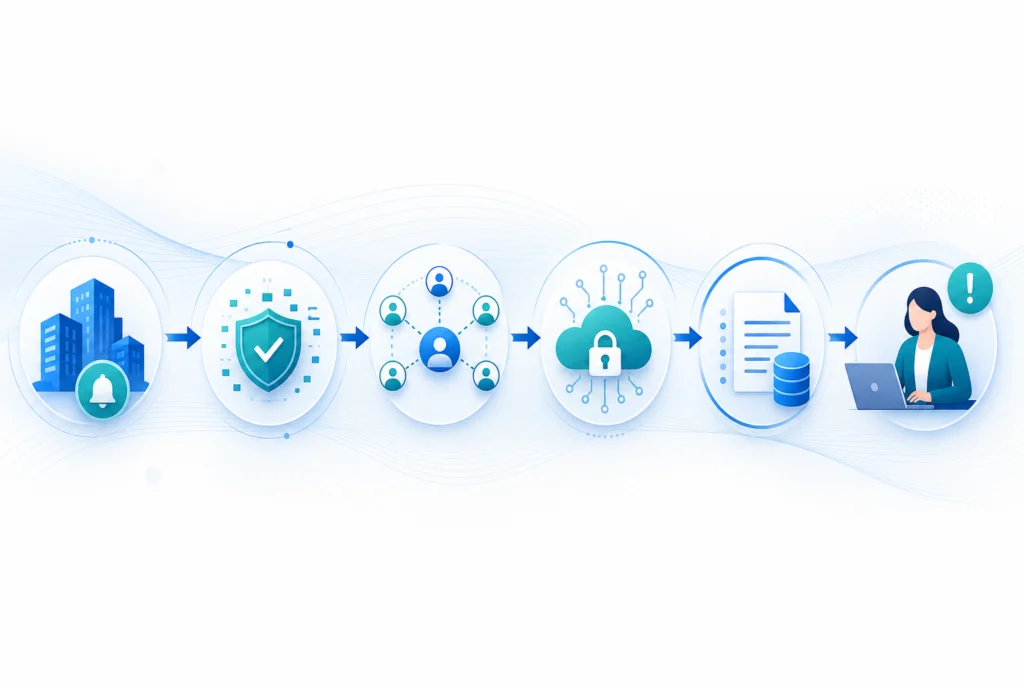
A central Power Automate API integration automation services workflow layer helps apply operational rules before data reaches connected destinations.
- Source Systems CRM, Dataverse, SharePoint, forms, ERP, support platforms, and custom application events.
- Power Automate Layer Triggers, mapping, conditions, approvals, HTTP actions, custom connectors, error scopes, and checkpoint logging.
- Controlled Destinations Finance, fulfillment, service, document, reporting, and line-of-business systems with monitoring and exception ownership.
Create a Data Contract for Power Automate API Integration Services
A data contract gives business and technical teams a shared specification for identity, values, timing, and change.
In practice, a data contract does not need to be a lengthy technical document. Instead, it should identify source and destination fields, the system of record, required and optional values, allowed formats, matching keys, and expected update frequency. In addition, it should document transformations, such as combining names, translating a source status into a destination status, or converting a date format.
For API-based work, include the endpoint or connector action, authentication approach, expected request and response fields, rate-limit considerations, and known error behavior. Consequently, the integration can be reviewed when a source field changes, a new support team takes ownership, or an API version is retired. This is particularly important for HTTP actions and custom connectors, where the interface may be less self-explanatory than a standard connector. Clear contracts therefore make Power Automate API integration automation services safer to change.
Validate Data in Power Automate Business System Connections
Validation should occur before a record crosses into the next application; therefore, errors can be addressed before they become visible downstream.
- Required Values
First, confirm that identifiers, approved statuses, mandatory customer details, and other prerequisite values are present before sending a request.
- Formats and Types
Similarly, validate dates, email addresses, numbers, currency codes, country values, and destination-specific field formats.
- Allowed Status Changes
In particular, prevent financial, fulfillment, access, or service changes from being created from an unapproved source state.
- Record Identity
For this reason, use stable IDs and documented matching rules to determine whether the destination record already exists.
- Destination Response
Then confirm that the connector or API response contains the expected success state and, where relevant, a destination record reference.
- Useful Failure Context
Finally, store enough information so an owner can correct the issue without exposing unnecessary sensitive payload data in broad-access logs.
Plan Partial Completion in Power Automate System Integration Automation
Multi-step integrations need an explicit recovery design when one destination succeeds and another fails.
For example, consider an approved order that creates a customer in an ERP, generates a fulfillment request, and updates the CRM opportunity. If the ERP creation succeeds but the CRM update fails, restarting the full flow may create a second customer or fulfillment request. The design therefore needs a way to identify completed actions and continue from the incomplete step.
Meanwhile, Power Automate scopes and run after settings can separate the normal path, failure handling, and cleanup actions. A checkpoint record can retain the source identifier, completed destinations, current status, retry count, and failure details. As a result, a support owner can reprocess the failed action without repeating completed work, while temporary failures can follow a controlled recovery path. This is a core operating requirement for Power Automate API integration automation services.
Recover Failed Power Automate API Integration Services Actions
Immediate recovery addresses known failed runs; meanwhile, reconciliation finds records that never reached the expected state.
Exception Recovery
When an action fails, preserve the source reference, destination response, correlation ID, retry count, and named owner. A controlled reprocess path should therefore target the failed action rather than restart the entire workflow.
- Dedicated exception status
- Actionable owner notifications
- Meaningful error context
Periodic Reconciliation
In addition, a scheduled cloud flow can compare source and destination records by identifier, status, or modified date. This can reveal missing records, delayed updates, and unresolved exceptions that ordinary run alerts do not identify.
- Compare agreed key fields
- Create a mismatch review list
- Track resolution to closure
Secure Power Automate API Integration Services by Design
Integration identities often handle sensitive operational data and should be treated as production access paths.
Because integration identities often handle sensitive operational data, Power Automate API integration automation services should use the minimum access needed for the intended action. An integration that can read customer data, create invoices, update employee information, or initiate fulfillment is a meaningful security boundary, even when it runs without a person actively using it.
Therefore, separate development and production access, restrict roles and API scopes, and avoid placing complete sensitive payloads in broad-access logs or notification emails. Security design should also account for permissions changes, employee departure, connector ownership, audit requirements, and the business consequences of an unauthorized update. Financial releases, access grants, privacy-sensitive changes, and unusual exceptions commonly require visible human approval rather than automatic completion.
Connectors and API Options for Power Automate API Workflows
Standard connectors can cover many workflows; however, HTTP actions and custom connectors add governed flexibility when necessary.
Microsoft 365 Services
SharePoint, Teams, Outlook, OneDrive, Forms, Planner, and Approvals can support intake, collaboration, documents, notifications, and human review.
Dataverse and Dynamics 365
These connectors support governed, event-driven work with customer, sales, service, and operational records where the data model is well defined.
Business Central
Similarly, Business Central connections can support approved customer, order, invoice, and financial-context workflows when mappings and permissions are carefully designed.
HTTP Actions
HTTP actions can call a documented REST API when a standard connector does not provide the required endpoint or behavior.
Custom Connectors
In addition, a custom connector can package a reusable, authenticated API interface for appropriate Power Platform solutions.
Supporting Services
A .NET or cloud component may handle complex transformation, high volume, specialized authentication, or API behavior that should not live entirely in a flow.
Apply Connection References to Power Automate Business System Connections
Power Platform governance helps reduce unmanaged credentials and inappropriate data movement between connectors.
For solution-aware cloud flows, use connection references so a packaged solution can be deployed to another environment without manually editing every connection action. Use environment variables for non-sensitive values that vary by environment, such as a base API URL, queue identifier, site reference, or configuration value. Consequently, this supports safer releases and clearer ownership.
Data loss prevention policies should group connectors according to the organization’s data-handling rules. For example, a policy may restrict a flow from combining a business data connector with a non-business connector when that combination would create unacceptable exposure. The right policy design depends on the information being handled, so Power Platform administrators, security stakeholders, and process owners should agree the connector groups and permitted exceptions.
Assess Power Automate API Integration Readiness Before Design
Connector capability, authentication, licensing, and API behavior can materially affect the design and support model.
Before committing to a workflow, confirm that the source and destination actions are available through the intended connector or API. In particular, review whether the connector is standard or premium in the relevant tenant, which authentication methods it supports, what permissions are required, and whether its known limitations matter to the process.
Additionally, assess API rate limits, pagination, payload size, expected data volume, and whether webhook events or polling are available. A connector may be appropriate for a moderate-volume handoff but not for a high-frequency integration requiring specialized batching, transformation, or observability. In those cases, Power Automate can remain the orchestration layer while a supporting service performs the specialized work. This assessment should precede a Power Automate API integration automation services build.
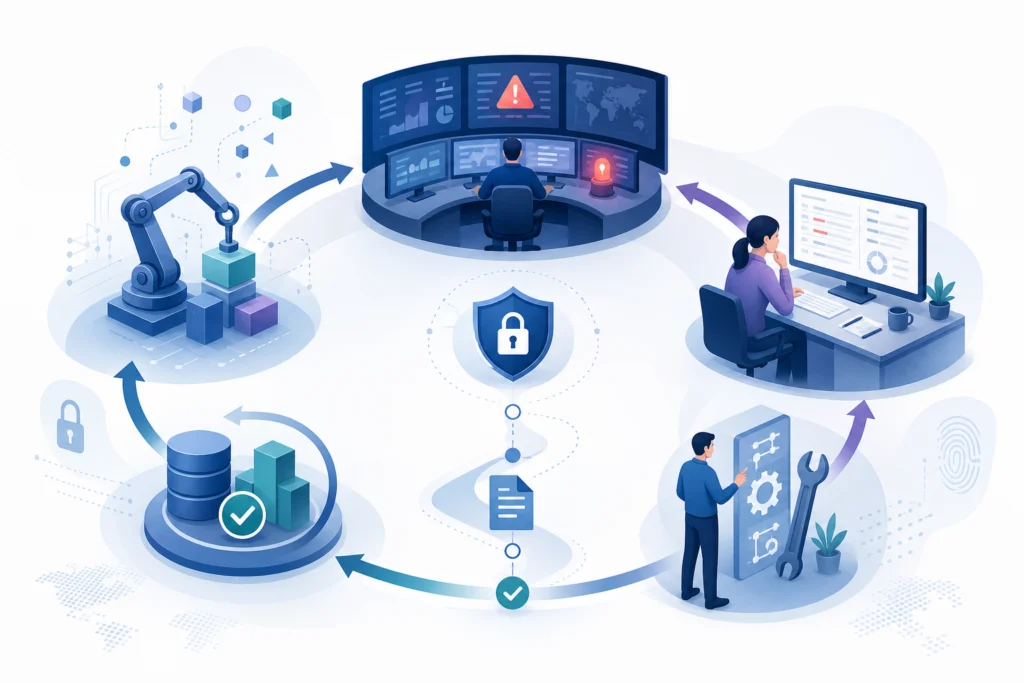
Practical Power Automate API Integration Services Scenarios
These examples illustrate possible Power Automate API integration automation services designs; however, the correct workflow depends on each organization's applications, policies, and data model.
Approved Sales Order
For example, an approved order may need to reach finance and fulfillment while staff currently re-enter customer, line-item, and status details across multiple tools.
An automated cloud flow validates the approved record, checks customer identity, sends mapped data through connectors or APIs, and then logs destination references.
This approach can help create a traceable handoff and surface missing or conflicting values before downstream processing.
Customer Entitlement Lookup
Support agents may need current contract or service-entitlement information stored outside the service platform during an escalation.
A case event retrieves approved external context, updates the case with relevant references, and consequently notifies the responsible service team when escalation conditions apply.
This can help provide more consistent operational context while keeping the escalation route visible and auditable.
Invoice Exception Review
An invoice may be ready in one system but lack a valid purchase-order reference or approval status in another.
A flow validates key fields, holds exceptions in a review list, requests accountable approval or correction, and posts only approved records onward.
As a result, this can help prevent incomplete records from progressing automatically and preserve a review trail for finance.
A Structured Power Automate API Integration Services Delivery Approach
Discovery, design, testing, and ongoing ownership help keep an integration aligned with the business process it serves.
Map and Design
Document the current handoff, users, source systems, record owners, exceptions, and desired future state. Then define the data contract, flow type, connectors or API interfaces, validation logic, controls, and test cases.
- Identify the real operational problem
- Confirm connector and API readiness
- Agree ownership and decision rules
Test and Operate
Test representative and adverse scenarios, deploy through appropriate environments and solutions, assign support ownership, and establish reconciliation routines. Subsequently, revisit the integration as the process changes.
- Release through controlled environments
- Monitor exceptions and mismatches
- Review change impact
Reliable Power Automate System Connections Create Better Business Control
The aim is not simply to move data faster; rather, it is to make important handoffs more understandable and accountable.
In practice, reliable Power Automate system integration automation can help reduce repeated entry and improve the consistency of shared business records. More importantly, it makes the rules surrounding a handoff explicit: which system owns a value, what conditions permit an update, what evidence proves completion, and who acts when something is wrong.
Start with a defined system of record for every important field, then build validation, safe duplicate handling, controlled recovery, monitoring, and human review into the workflow. As a result, Power Automate API integration automation services can support day-to-day operations without becoming a hidden source of avoidable risk.
Before expanding an integration, establish a practical change review. API version changes, new fields, altered permissions, revised business statuses, connector changes, and changed approval rules should trigger contract review and regression testing in a non-production environment. This review gives process owners a chance to confirm that an apparently technical change does not silently alter a customer, finance, fulfillment, or service handoff.
With those controls in place, each connection remains a visible business handoff rather than an opaque background task. Owners can investigate exceptions using usable records, make deliberate corrections, and expand the scope only after source-of-truth rules, reconciliation results, and support responsibilities are working as intended.
System synchronization depends on clear ownership of each data field, reliable identifiers, controlled conflict rules and recoverable integration failures.
Start with a limited data scope, validate changes in both directions, monitor retries and reconciliation results, and expand only after the source-of-truth rules are proven.
Power Automate API Integration Services FAQs
Answers to practical questions about Power Automate-led connections between business systems.
An API is a technical method for applications to exchange data or request actions. By contrast, system integration automation is broader: it defines the business trigger, mapping, ownership, validation, approvals, error handling, monitoring, and support process around that technical connection.
Use an automated cloud flow when an event needs a timely response and the source trigger is dependable. Instead, use a scheduled cloud flow for periodic synchronization, reconciliation, batching, or sources that do not provide reliable events. The right choice depends on business urgency, volume, and recovery requirements.
Often, yes. A documented REST API may be called through HTTP actions or wrapped in a custom connector. However, authentication, licensing, API limits, error responses, and support requirements should be assessed before committing to the design.
The flow should distinguish temporary availability issues from permanent business or data errors. For a multi-step process, record completed actions and use an exception path or controlled reprocess mechanism so completed work is not repeated unnecessarily.
A supporting service may be appropriate for highly complex transformations, specialized authentication, large-volume processing, strict API behavior, or advanced observability needs. In that case, Power Automate can still remain the workflow and approval orchestration layer.
No. Some applications have limited APIs, legacy interfaces, file-based exchange, or no practical integration interface. Although desktop flows may assist with certain legacy tasks, they need additional resilience planning and should not be treated as equivalent to a stable API integration.
Sources and Further Reading
Need Help Improving a Critical System Handoff?
Assess the business handoff before building the connector.
JiyanaTech can assess your current Power Automate API integration services process and design a maintainable automation solution around your systems, controls, integrations, security and support needs.
Discuss This Workflow