
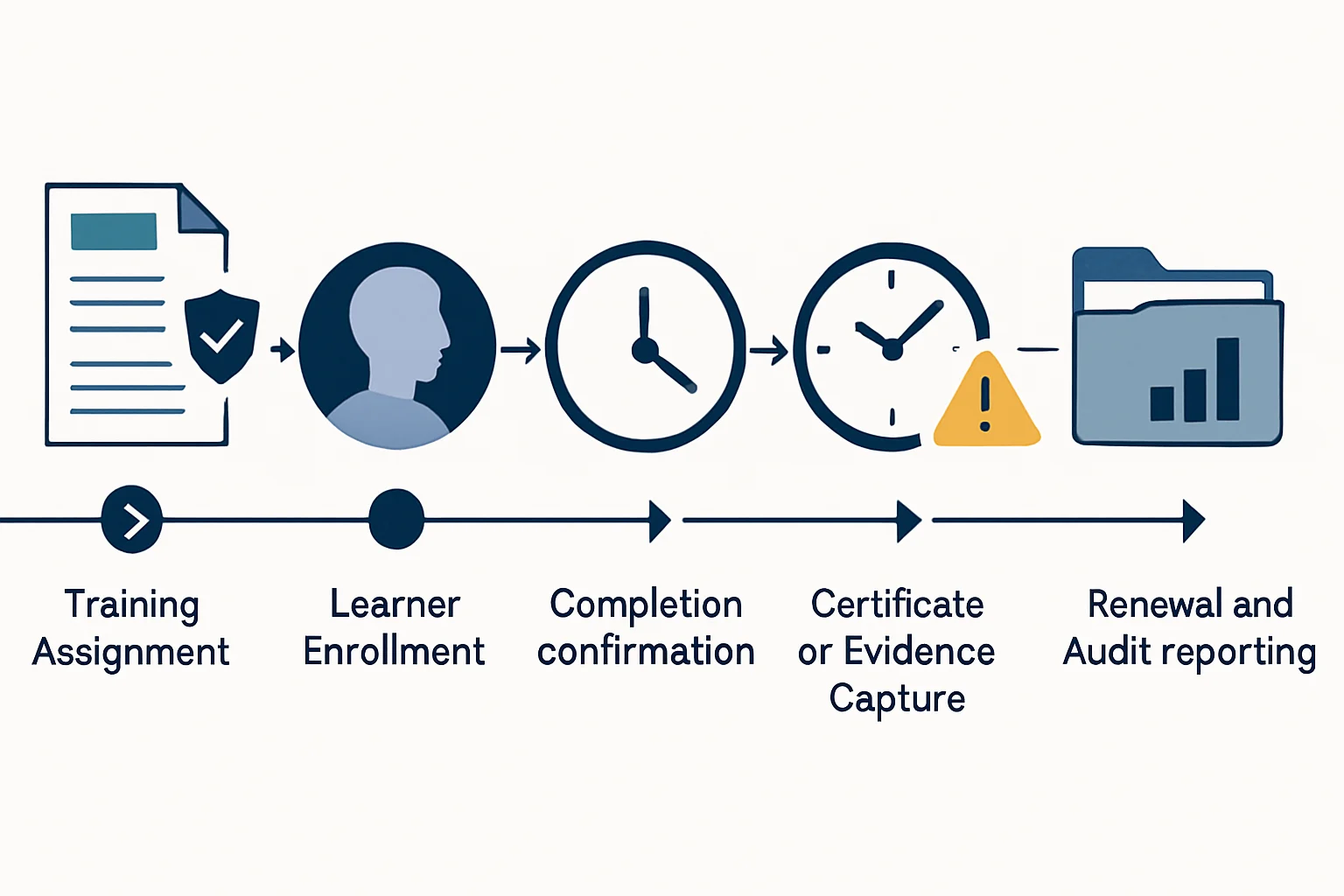
An employee training management solution becomes important when leaders need to answer more than whether a course was assigned. Specifically, they may need to know which workers were required to complete it, whether the content matched their role and location, where completion evidence is held, and which certifications are close to expiring. When those answers live across spreadsheets, inboxes and separate learning tools, overdue training and incomplete records can remain invisible until a review or audit. As a result, a course catalog alone rarely provides a defensible view of training obligations.
Meanwhile, a governed workflow can connect people data, assignment rules, reminders, approvals and evidence without removing human judgement from sensitive exceptions. In addition, it can sit alongside broader custom workflow automation and compliance and audit tracking automation so that training records are more reliable, traceable and useful to the teams responsible for them. Ultimately, the goal is to make each requirement understandable from assignment through renewal.
Key Takeaways
- Model requirements clearly
Training obligations should be based on defined worker attributes such as role, work location, department, equipment access and risk exposure.
- Track evidence, not only status
A completion flag is rarely enough for regulated or high-risk training. Instead, retain the supporting record, version, date and relevant approval details.
- Treat expiry as a workflow
Renewals need advance alerts, escalation paths, exception handling and a documented decision when a deadline cannot be met.
- Keep accountable review points
Automation can coordinate predictable steps, while managers, HR, compliance and subject-matter owners retain responsibility for judgement calls.
Why a Training Management System Needs More Than a Course List
An employee training management solution must do more than help people find courses. It should also show who was required to act, what happened and what remains unresolved.
Unclear Training Population
For example, new starters, internal transfers, contractors and returning workers may not receive the same training assessment when eligibility is decided informally.
Therefore, use defined employee attributes and effective dates to identify people who may need an assignment, then place uncertain cases in a review queue.
- More consistent assignment decisions
- Visible exceptions for HR or compliance review
- Less reliance on individual memory
Completion Without Context
A simple completed status may not show which course version was taken, whether an assessment was passed or whether an external certificate was verified.
Instead, store a structured completion record with the learning item, version, completion date, evidence location and verification status where required.
- Clearer evidence trail
- Better version control
- Faster record retrieval
Renewals Managed Late
A certification can expire before the responsible manager notices, particularly when renewal dates sit in separate files or personal calendars.
Consequently, calculate renewal windows from the accepted completion date and send staged notifications before expiry, with escalation for unresolved cases.
- Earlier risk visibility
- Documented follow-up activity
- Fewer overlooked renewal dates
Training Management System Assignment Rules by Role, Location and Risk
Reliable assignment begins with rules that a business can explain, test and update when responsibilities or regulations change.
Training should not be assigned solely because someone belongs to a broad department. For example, two employees with the same job title may require different learning because one handles customer data, works in a regulated jurisdiction, operates specific equipment or supervises others. Therefore, assignment logic should use the smallest practical set of trusted attributes needed to identify an obligation.
A useful employee training management solution distinguishes between an assignment rule and a learning recommendation. Mandatory requirements need a clear owner, deadline, status definition and exception route. By contrast, optional development learning can remain flexible without being reported as a compliance failure. This distinction prevents dashboards from mixing genuine obligations with general learning activity.
Use authoritative data where possible
In practice, HR or identity records commonly provide hire date, employment status, manager, team, role and location. In addition, other inputs may come from access systems, project records or safety registers. However, no automated rule is better than the data behind it. Establish who corrects a missing or inaccurate attribute, when the correction takes effect and whether it should trigger a reassessment of previous assignments.
Four Controls for Training Management System Assignments
These controls help teams make automated routing understandable while preserving review for unusual cases.
Worker profile
- What to define
- The role, employment type, location and status fields used for eligibility.
- Automation behaviour
- Reassess obligations when approved profile data changes.
- Human review point
- Resolve ambiguous or incomplete worker records.
Risk condition
- What to define
- Access rights, equipment, client work, regulated activity or supervisor responsibility that changes training needs.
- Automation behaviour
- Add or remove relevant assignments when the condition is confirmed.
- Human review point
- Validate unusual risk classifications or temporary duties.
Course requirement
- What to define
- Required learning item, accepted version, due-date basis, passing threshold and renewal period.
- Automation behaviour
- Create the assignment and calculate expected dates consistently.
- Human review point
- Approve policy changes and replacement-course equivalency.
Exception policy
- What to define
- Who may defer, waive, substitute or extend an obligation and which reason codes are permitted.
- Automation behaviour
- Route requests to the correct authority and retain the decision record.
- Human review point
- Assess legal, safety, privacy or operational exceptions.
Employee Training Management Solution: From Assignment to Audit Record
An employee training management solution should connect training administration to evidence, expiry management and review rather than ending at enrollment.
Identify the obligation
First, evaluate approved role, location, risk and employment data against the current requirement rules.
Training obligation recordAssign the correct learning
Then issue the required course, assessment or external certification request with a defined due date.
Dated assignmentNotify the learner
Next, send clear instructions that explain the requirement, deadline, access route and available support.
Recorded notificationConfirm completion
Afterward, receive completion information from the learning provider, assessor or authorised administrator.
Completion statusCapture supporting evidence
In addition, link the result to the relevant course version, certificate, assessment or approved external document.
Evidence recordManage expiry and renewal
Meanwhile, monitor validity dates, create renewal work and escalate unresolved mandatory obligations.
Renewal case or current statusReport and retain
Finally, present status by population and retain records according to the organization’s approved retention rules.
Audit-ready reporting view
This process map shows the information that should travel with a training obligation as it moves from a worker profile to a reportable record.
- Profile Role, location and risk attributes establish eligibility.
- Assignment The correct training and deadline are created.
- Enrollment The learner receives access and instructions.
- Completion The result is returned or reviewed.
- Evidence Certificate, result and course version are retained.
- Expiry Alert Renewal work begins before validity ends.
- Audit Report Current, overdue and exception records are visible.
Certification Tracking Solution for Mandatory Training and Renewals
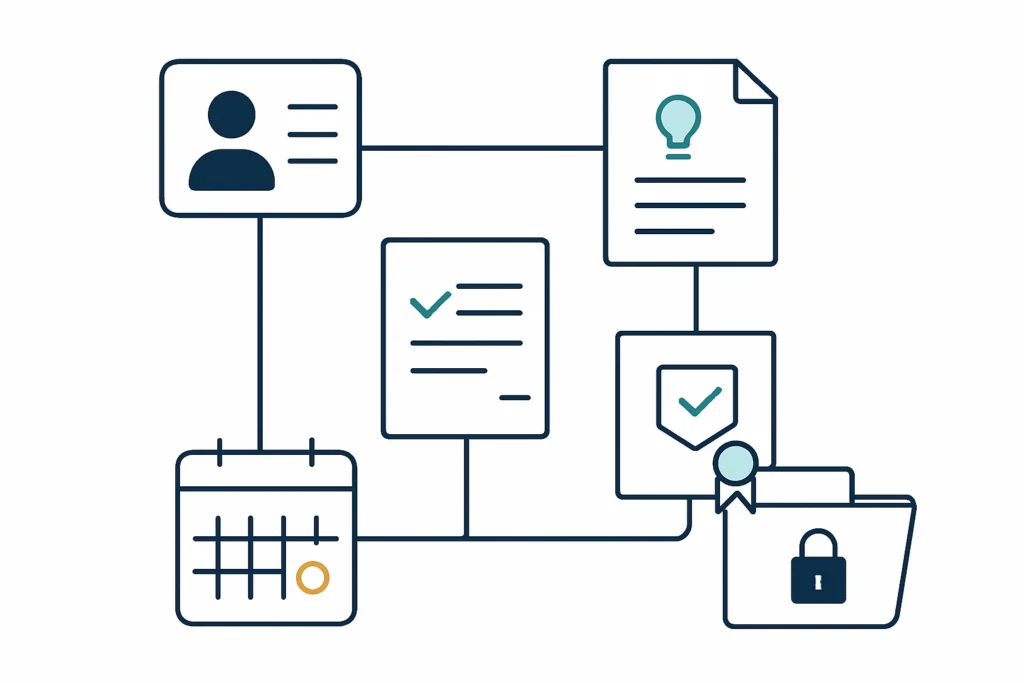
In an employee training management solution, a completed course and a currently valid qualification are related but not always identical states.
Set validity rules explicitly
Define whether validity starts on completion, formal approval, an external issue date or another policy-approved event. In addition, specify whether an earlier completion may replace an existing certificate and whether a grace period is allowed.
- Accepted evidence types
- Renewal interval
- Course-version equivalency
- Grace-period policy
Treat external certificates carefully
In addition, some qualifications are issued outside the organization and may require document upload, verification or a manager confirmation. A workflow can collect the document and route it for review; however, it should not assume that every uploaded file is authentic or current.
- Verification owner
- Evidence retention location
- Rejection and resubmission route
- Expiry-date confirmation
Selecting a Training Management System or Custom Compliance Workflow
An employee training management solution may combine existing learning tools with controlled workflows. The right approach depends on data sources, policy complexity, integration needs, security obligations and expected operational change.
Configured Learning Platform
A learning management platform may be suitable when course delivery, assessments, learner portals and standard reporting are the primary needs. However, confirm whether it can handle the assignment rules, evidence standards and renewal exceptions your organization requires.
Workflow and Integration Layer
A workflow layer can connect HR data, learning records, document storage, notifications and approval routes when those capabilities already exist in separate systems. In practice, low-code automation may be appropriate for well-defined processes with manageable integration requirements.
Workflow automation servicesCustom Training Case Management
A tailored application can be appropriate when rules are highly specific, multiple evidence types need review, or teams require a governed exception workspace beyond standard platform configuration.
Implementation Checklist for a Learning Compliance Workflow
Use this checklist to move from a course-centered process to a controlled training record lifecycle.
- Inventory requirements
First, list mandatory learning, certifications, course versions, validity periods and the policy owner for each obligation.
- Validate employee data
Then confirm the role, location, manager and risk data needed for assignments are accurate, owned and updated on time.
- Define status meanings
Similarly, agree how the organization will distinguish assigned, in progress, completed, verified, expired, deferred and exempt.
- Set evidence standards
In particular, specify which documents, results or confirmations are acceptable and who verifies external or high-risk evidence.
- Create exception routes
Additionally, document who can approve extensions, substitutions, waivers and temporary controls, including review dates.
- Test realistic scenarios
Before launch, test hires, transfers, contractor changes, missed deadlines, course replacements, verified certificates and disputed assignments.
- Train process owners
Finally, give HR, managers, compliance teams and administrators guidance on their decisions, not only on the software screens.
Build an Employee Training Tracking System That Answers Follow-Up Questions
The practical goal of an employee training management solution is a trustworthy decision trail, not a larger library of courses.
A well-designed employee training management solution gives teams a dependable way to connect requirements, learner actions, evidence and renewals. As a result, managers can see which obligations need attention, compliance teams can investigate exceptions with context, and employees can receive clearer instructions about what is expected.
Technology should support the operating model rather than define it. Therefore, start with accountable requirement owners, reliable employee data, clear status definitions and proportionate evidence standards. Then automate the repeatable coordination around those decisions. In contrast, legal interpretation, sensitive accommodations, questionable certificates and policy waivers should remain visible to authorised people. This balance helps organizations improve control without treating training as an impersonal administrative exercise.
Frequently Asked Questions About Training Compliance Management
These answers address practical questions that often arise when organizations assess employee training management solution options and compliance workflows.
It is a system or connected workflow used to assign training, track learner progress, retain completion evidence, manage certifications and renewals, and report on the status of training obligations. In practice, it may include a learning platform, workflow automation, document management and reporting tools.
Yes, provided role and related employee data are reliable. Organizations can define rules that assign learning when approved attributes such as role, location, access level or work activity meet specified conditions. However, a review route should remain for incomplete records and unusual cases.
The right evidence depends on the requirement. Common records include the learner identity, training item and version, completion date, assessment result, attendance confirmation, certificate reference, expiry date and verification decision. In addition, retention and access rules should reflect applicable policy and legal obligations.
Create reminders from the accepted validity date and use more than one stage, such as advance notice, approaching-expiry notice and overdue escalation. The workflow should also identify authorised extensions, replacement training and cases awaiting evidence verification.
It may be enough for straightforward requirements. However, organizations with complex employee data, external certificates, approval workflows, multiple systems or detailed audit needs may need integrations or a custom workflow around the learning platform.
Build a Learning Compliance Workflow With Clear Evidence and Ownership
Assess the controls, ownership and system connections needed for a maintainable training compliance workflow.
JiyanaTech can assess your current employee training management solution process and design a maintainable automation solution around your systems, controls, integrations, security and support needs.
Discuss This Workflow